
Some Candidates Are Right for Multiple Roles. The CRM Should Show That.
A senior engineer in your talent pool is being sourced for the Platform Engineering role. Two weeks later, a Backend Engineering role opens that's also a strong match. A week after that, an Engineering Manager role posts that they could potentially fit.
For sourcers, recruiters, TA leaders, and hiring managers
Why Hiring Pipeline Matters.
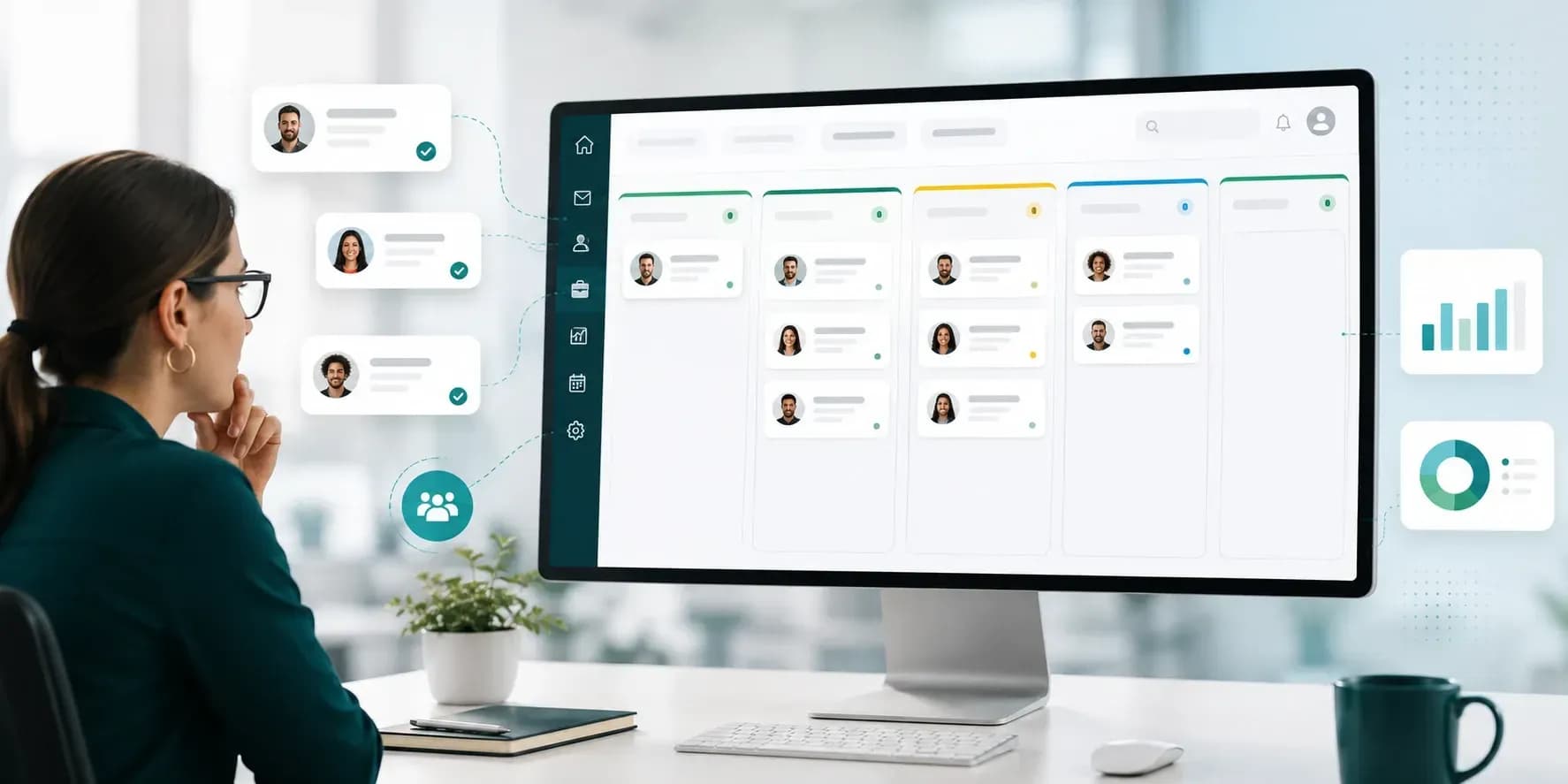
In an ATS-only world, this candidate now exists in three separate role pipelines, with three separate conversations, three separate status tracking surfaces, and no visibility into the fact that the same person is being considered for all three. The Hiring Pipeline is the cross-role view that prevents that. It shows, at the CRM level, which candidates are simultaneously in conversation for multiple roles, so recruiters coordinate, hiring managers see overlap, and the candidate experience stays coherent. It's also where the handoff happens, from sourcer to recruiter, captured as a structured workflow state.
One Candidate. Multiple Role Conversations. One View.
Candidate — Name, current role, parsed-resume summary
Roles in consideration — Every active role this candidate is being considered for
Stage per role — Where this candidate sits in each role's Position Workflow
Sourcer and recruiter — Who originated the conversation and who currently owns active hiring
Engagement — Most recent touchpoint across all role conversations
Conversion state — Sourced, Engaged, Pre-Applicant, Applied (then Active Pipeline in the ATS)
This visibility doesn't exist in role-scoped ATS pipelines.
From Pool to Active Pipeline, Tracked.
StepWhat happens
- 1
1. Sourced
Candidate added to the pool, identified as a match for one or more roles, not yet contacted
- 2
2. Engaged
Active outreach in flight, the candidate has responded or the sourcer has decided to escalate
- 3
3. Pre-Applicant
Candidate has expressed interest and is in conversation about specific roles, but hasn't formally applied
- 4
4. Applied
Candidate has formally applied to one or more roles and enters the Recruitment Software ATS pipeline
Each state has time-in-stage tracking. Long stalls flag for sourcer or recruiter attention.
The Most Often-Lost Transition in Recruiting.
The classic recruiting workflow gap: a sourcer has had three conversations with a candidate, knows their motivations and concerns, and now a recruiter needs to take over. Without structure, that handoff happens via an inbox email and much of the context disappears. Hiring Pipeline structures the handoff.
Handoff trigger — Sourcer marks the candidate as Pre-Applicant or Applied, which notifies the recruiter
Context capture — All sourcing touchpoints, engagement events, and sourcer notes preserved on the record
Recruiter acceptance — Recruiter explicitly accepts the candidate into their active hiring process
Audit trail — Handoff event logged with sourcer, recruiter, candidate, and timestamp
Continued visibility — Sourcer retains read access after handoff for relationship continuity
Strong Candidates Fit Multiple Roles. Surface That.
Overlap badge
Visual indicator on the candidate row showing how many roles are in consideration
Per-role pipeline state
For each role, where this candidate currently sits
Conflict detection
Alert if multiple recruiters are reaching out simultaneously
Role-relevance hint
Where AI is enabled, surface potentially relevant open roles with job-related context for recruiter review.
No more emails asking a candidate which of three roles they actually want. Coordinated outreach, one conversation about the best-fit role.
Two Pipelines. Different Jobs. Both Needed.
Lives in Talent CRM. Cross-role scope. Shows Sourced, Engaged, Pre-Applicant, and Applied. Owned by the sourcer early, then the recruiter after handoff. Answers where sourcing-to-hiring conversion is happening.
Lives in Recruitment Software. Per-role scope. Shows Applied candidates moving through Position Workflow stages. Owned by the recruiter throughout. Answers where candidate X is in the workflow for role Y.
A candidate exists in both views once they've applied. The candidate record is the same, the views serve different recruiting questions.
Surfacing Patterns Sourcers and Recruiters Miss.
Multi-role match summary
For example, a candidate scores 92% for Platform Eng, 88% for Backend Eng, and 64% for Eng Manager
Handoff readiness flag
For example, a candidate has been Engaged for 21 days and is recommended for handoff to a recruiter
Stall detection
For example, 12 candidates have been Pre-Applicant for 14 or more days with no progress
Coordination alert
For example, two recruiters are reaching out to the same candidate within 48 hours
All AI surfaces are recommendations. Sourcers and recruiters retain all decisions.
What Teams Describe.
Cleaner candidate experience
Coordinated outreach prevents multiple-recruiter conflicts
Faster handoff cycle time
Structured sourcer-to-recruiter transition reduces conversion delays
Better multi-role placement
Candidates with cross-role fit get matched to the best role, not the first role
Stall recovery
Time-in-stage tracking surfaces conversion bottlenecks before they cost the candidate
* Customer results vary by sourcing volume, role mix, and handoff discipline.
Hiring Pipeline FAQs
In uRecruits, the hiring pipeline is a cross-role view that tracks a candidate through Sourced, Engaged, Pre-Applicant, and Applied states across every role they're considered for, and structures the handoff from sourcer to recruiter.
The CRM Hiring Pipeline is a cross-role view focused on the conversion from sourced candidate to applicant. The ATS pipeline is per-role, tracking applicants through Position Workflow stages for one specific role. Both reference the same candidate records and serve different questions.
Either the sourcer manually marks the candidate as Pre-Applicant or Applied, or the candidate formally applies to a published role. Both notify the designated recruiter, who explicitly accepts the candidate, and the audit trail captures the transition.
The candidate appears once with an overlap indicator showing how many roles they're in consideration for. Per-role pipeline state is visible inline, and coordination alerts surface if multiple recruiters reach out simultaneously.
No. The sourcer retains read access after handoff for relationship continuity. The recruiter owns active hiring decisions, and the sourcer remains an informed party.
Yes. Filter by sourcer, recruiter, role, role family, conversion state, time-in-stage, candidate source channel, or custom tags. Saved views support team-specific dashboards.
Time-in-stage thresholds are configurable per tenant, for example alerting if a candidate has been Engaged for 21 or more days without progressing. Default thresholds are available and customizable per team.
Permission-configurable per tenant. Some tenants share cross-role visibility with hiring managers, others scope hiring-manager visibility to specific roles.
Candidates who do not move forward for one role can remain available for appropriate future consideration, subject to configured retention, candidate-rights, and privacy requirements.
See Hiring Pipeline in Action.
Walk through Hiring Pipeline with our team, or compare packages on the pricing page.
uRecruits uses AI in selected workflows to support recruiting tasks such as drafting, parsing, summarization, matching, or surfacing relevant information for recruiter review. AI outputs are intended to support authorized users, not replace employer decision-making.
uRecruits is implementing a Responsible AI Program designed around human oversight, job-related AI use, transparency, candidate rights, fairness, auditability, and governance for U.S. hiring technology.