

Choose uRecruits
Why Construction Teams Choose uRecruits

Skilled trades
35% faster time-to-hire for skilled trades and field workers
Track certifications
Track OSHA certifications, welding licenses, and equipment operator credentials automatically
Background Screening
Complete drug tests and criminal background checks in days through Universal Background Screening
Violations and compliance
Prevent costly OSHA violations and compliance failures with workflow-enforced verification
Projects
Staff projects on schedule without last-minute labor gaps
Highlights of Construction ATS Software
AI-Powered Construction Recruitment Software
Staff Projects Faster with Skilled Trades and Certified Workers
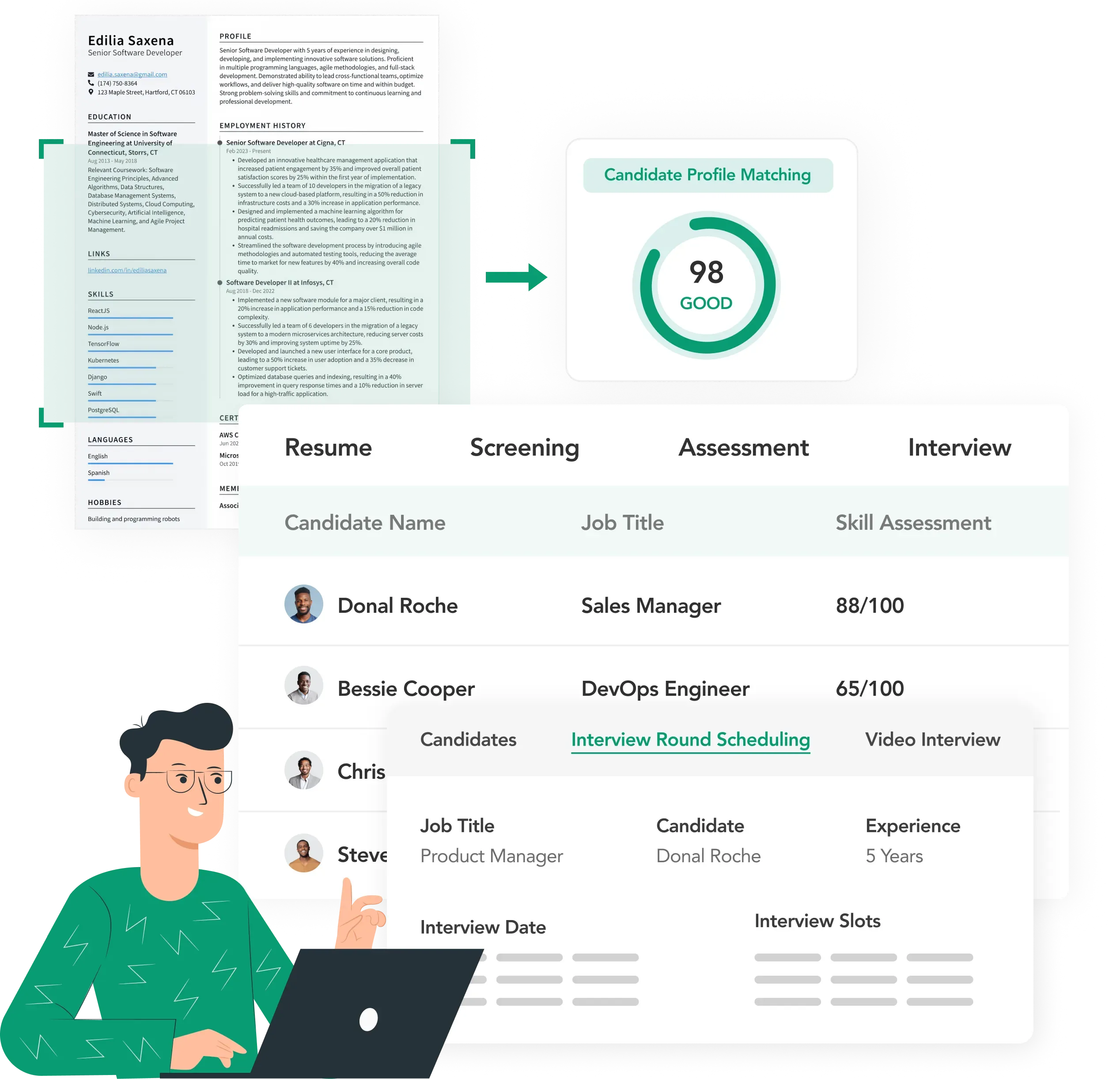
Field roles turn over constantly. Projects spike hiring needs with zero warning. You're stuck manually checking certifications and scheduling interviews while qualified electricians, plumbers, and laborers sign offers with the contractor who called them first. Our construction recruitment software sorts applications the minute they come in, organizes candidates by certifications and availability, and pushes them through your pipeline before competing companies send their first email.
Streamline Background Checks and Credential Verification
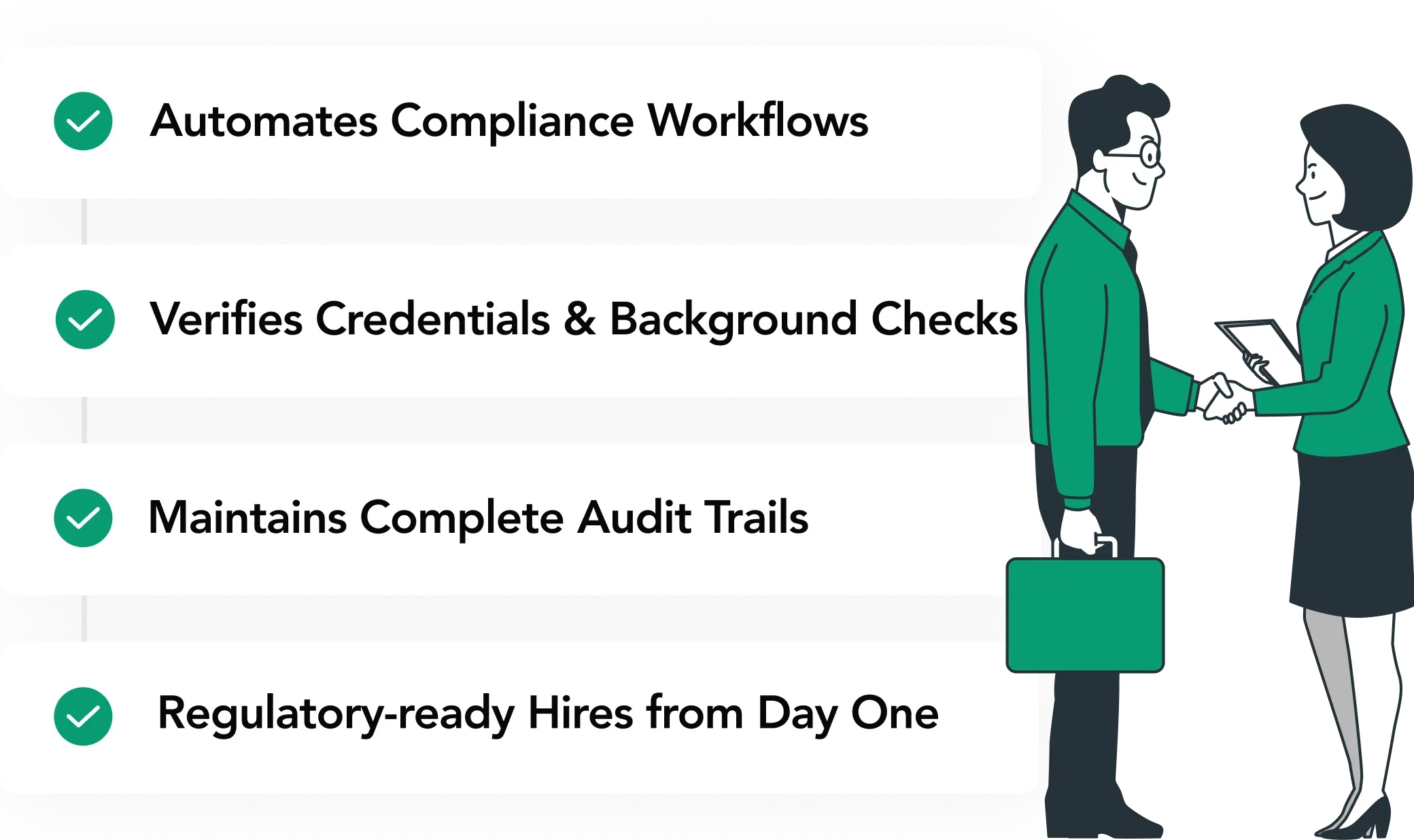
Nobody steps on your site without proper safety training and current certifications. Tracking OSHA compliance, trade licenses, equipment certs, and safety credentials manually turns into a nightmare during busy hiring seasons. uRecruits connects with Universal Background Screening so you can run criminal checks, verify work history and education, and handle drug testing right inside your workflows. Background check results sit next to candidate profiles, giving you a clear record of what was checked and when, all in one spot when it is time to make hiring calls.
Complete Construction Recruitment Software Features
Everything Construction Companies Need to Hire Fast
Job Postings and Multi-Channel Distribution for Construction Roles
Write job descriptions for project managers, site supervisors, electricians, plumbers, welders, carpenters, equipment operators, laborers, and safety coordinators in about a minute using the AI Job Creation Agent. Our construction recruitment software gets construction language, certification requirements, and project terminology. Post to uRecruits Job Marketplace, free boards like Google For Jobs, and JobTarget (which pushes your jobs to 22,000+ other boards at once). More boards means more qualified tradespeople see your openings.
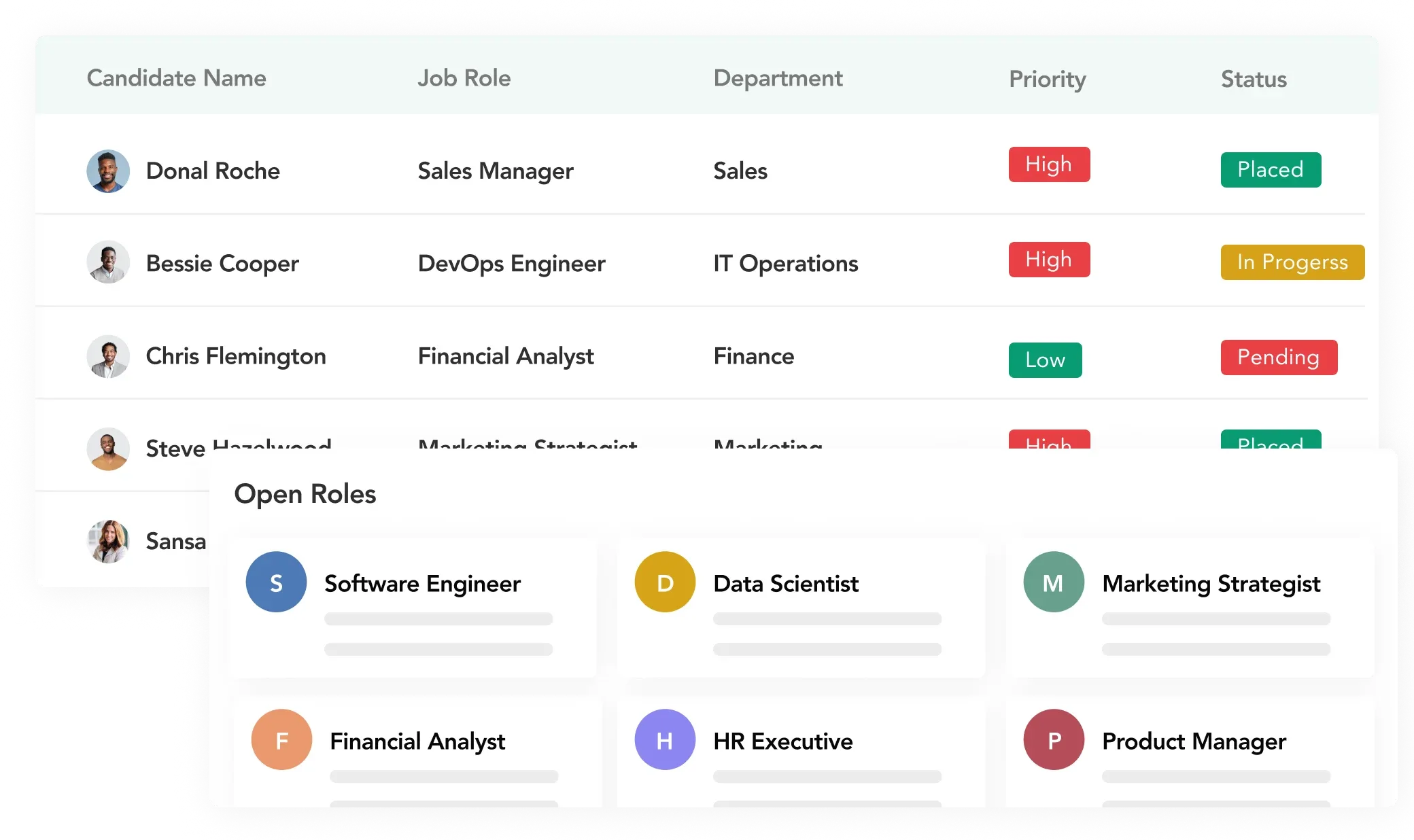
Career Pages and Mobile Experience
Construction workers check job listings on their phones during breaks, not at a desk during business hours. Your career pages let them browse open positions and apply from wherever they are. Electricians, welders, and equipment operators can finish applications on mobile without fighting clunky forms or needing a computer.
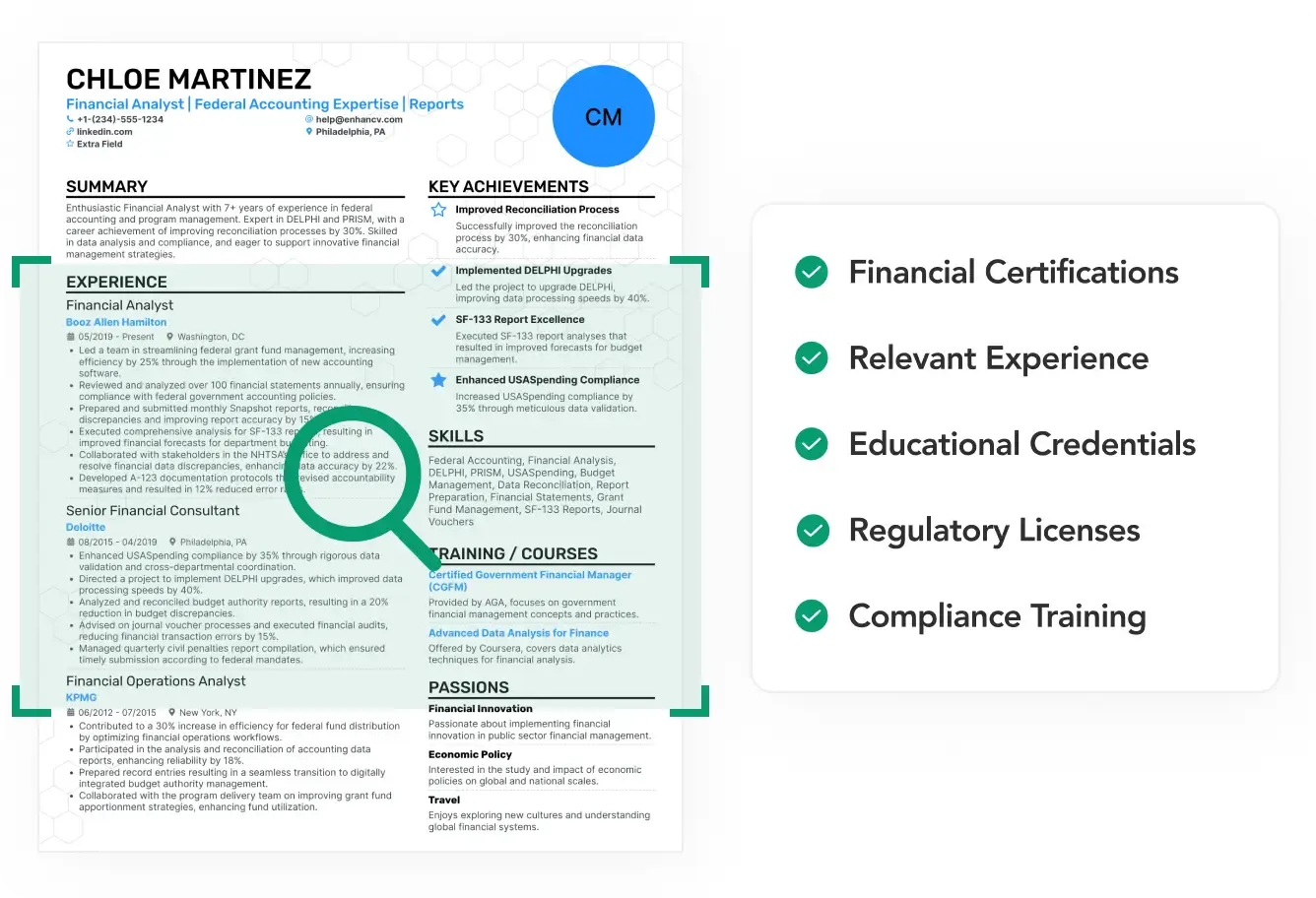
Resume Parsing for Trade Certifications and Project Experience
Our applicant tracking software for construction reads every resume and grabs trade certifications, safety training, equipment skills, project history, and when people are available to start. Candidates are organized by qualifications, making it easy to identify who meets your requirements. Your hiring team sees qualified tradespeople immediately instead of sorting through hundreds of resumes by hand.
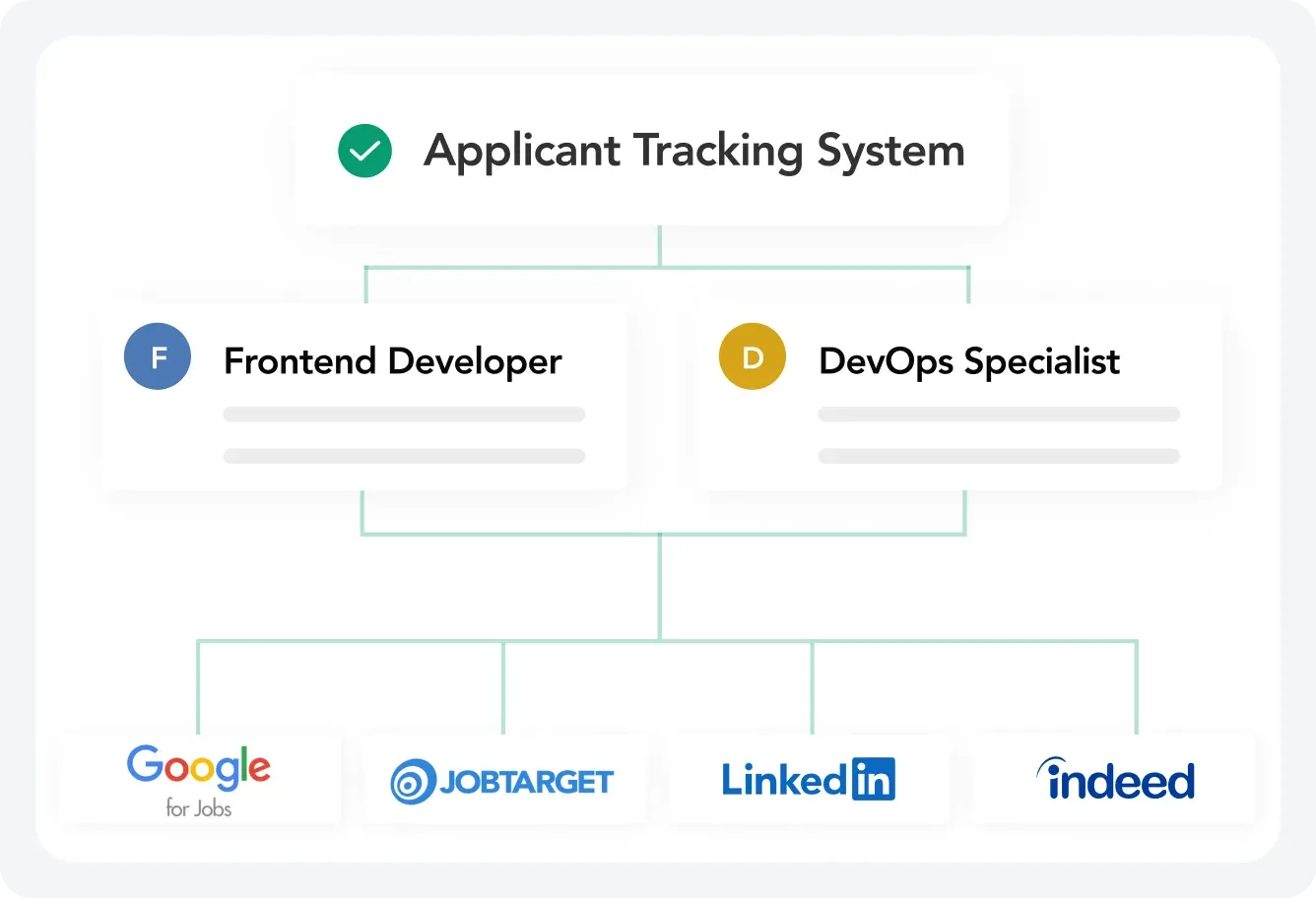
Organized Credential Management and Structured Evaluation
Finding a certified electrician for a three-month project or an experienced crane operator with the right licenses takes too long when you're doing it manually. Advanced filtering in our construction recruitment software helps you quickly identify candidates with the right trade skills, certifications, equipment experience, and availability. Structured interview feedback provides standardized evaluations so you interview the right workers first and make faster hiring decisions.
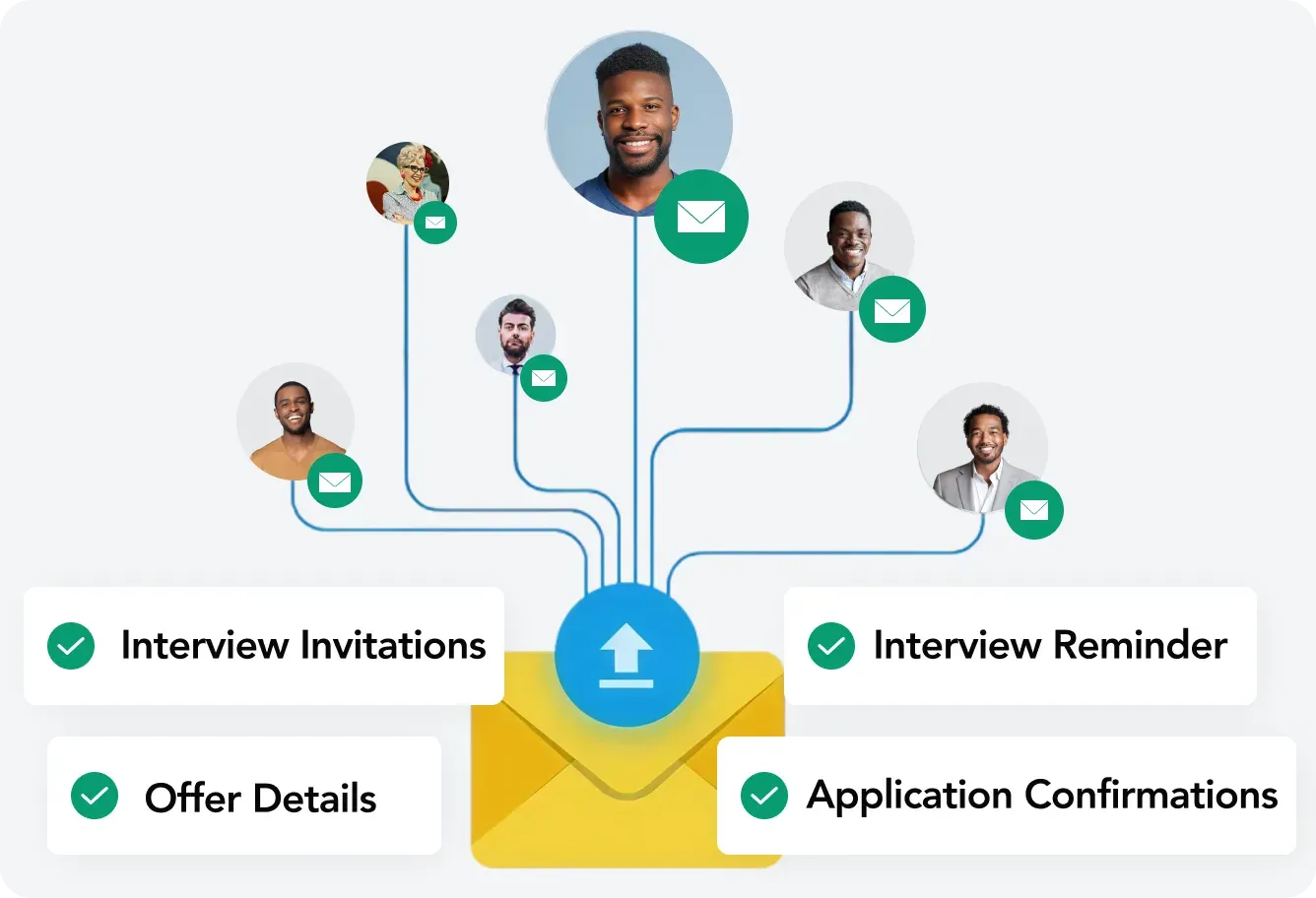
Integrated Background Screening and Verification
Set up your position workflows to kick off background checks and employment verification at the right points in your process. Our HR software for construction companies works with Universal Background Screening for criminal checks, verifying work history and education, and coordinating drug tests.Verification steps are embedded in your workflows so checks happen at defined points, but your team always reviews the results and decides who is cleared to start. You get documentation ready for audits without hunting down paperwork or playing phone tag. Need a different verification provider? Additional integrations can be added based on your requirements.
Skills Assessments for Trade Knowledge and Safety
Test whether workers actually know electrical systems, welding techniques, or equipment operation before they show up on site. Use Functional/Domain Assessments to check trade knowledge and safety procedures, Live Task Assessments for hands-on skill verification, or Take Home Assessments for technical evaluations. Results come back scored and documented in the construction staffing software so you know what candidates can really do, and you can stop unsafe or unqualified workers from reaching the job site. Structured scoring also reduces bias and helps you make more consistent, fair hiring decisions across trades and projects.
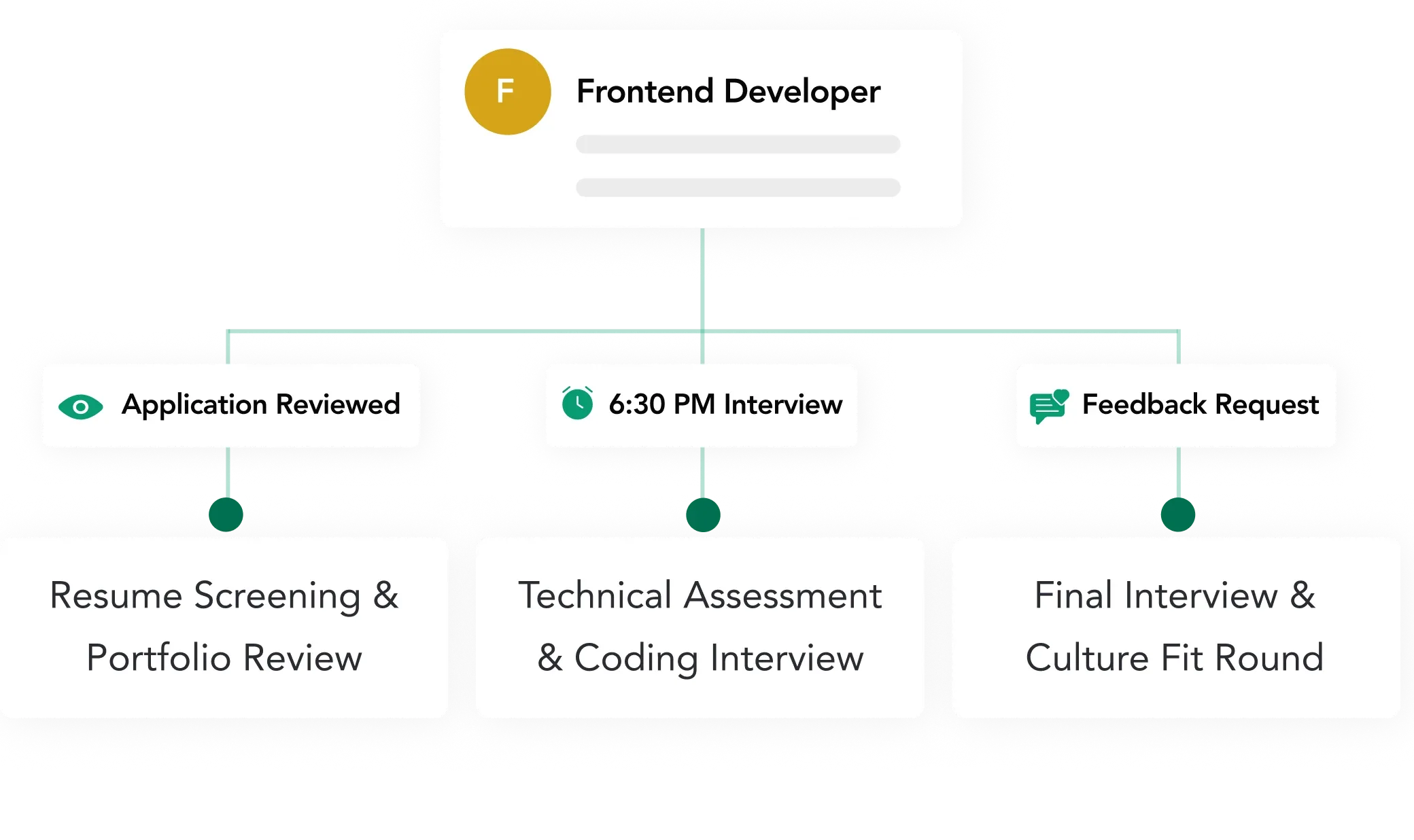
Position Workflow Management for Project-Based Hiring
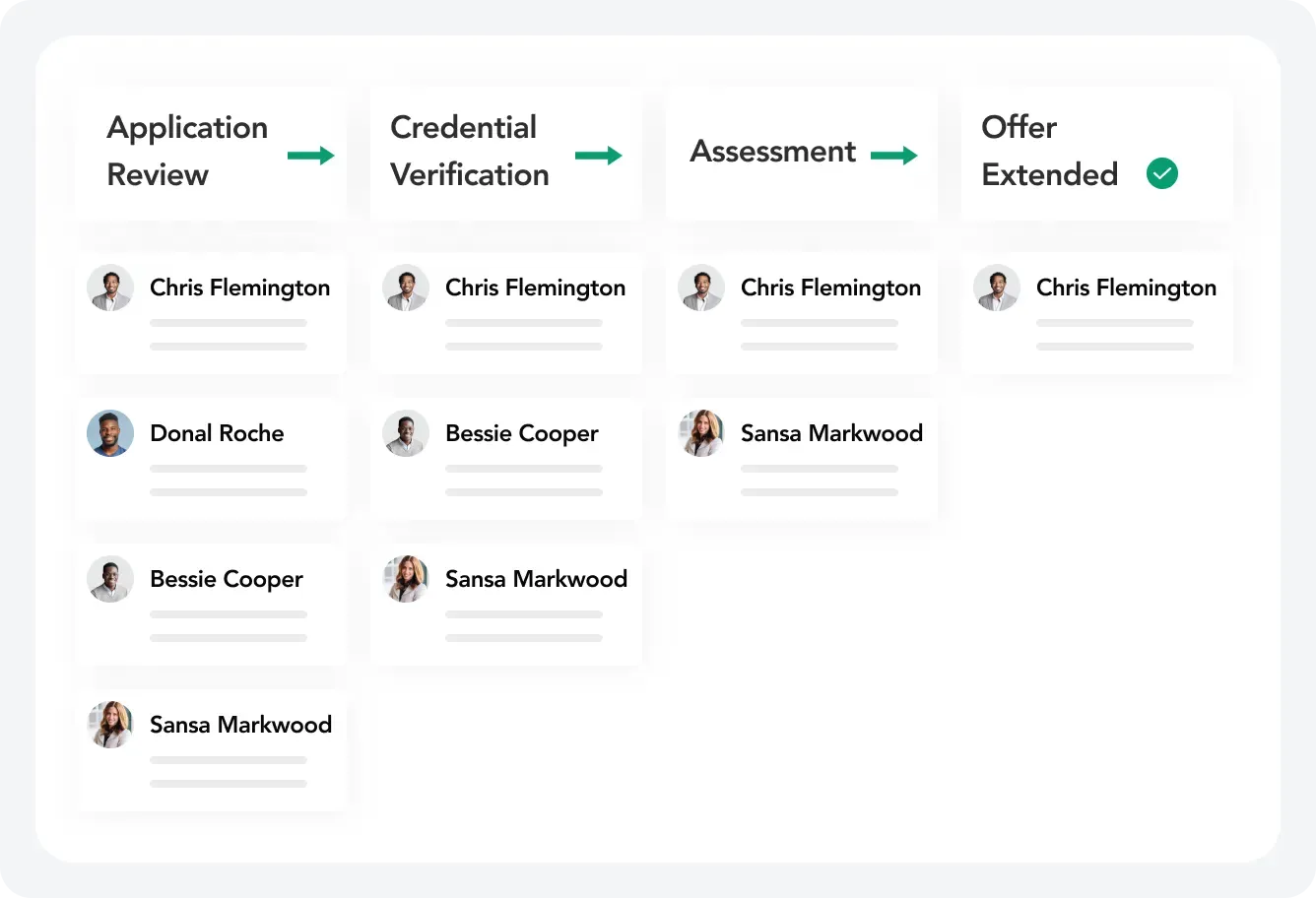
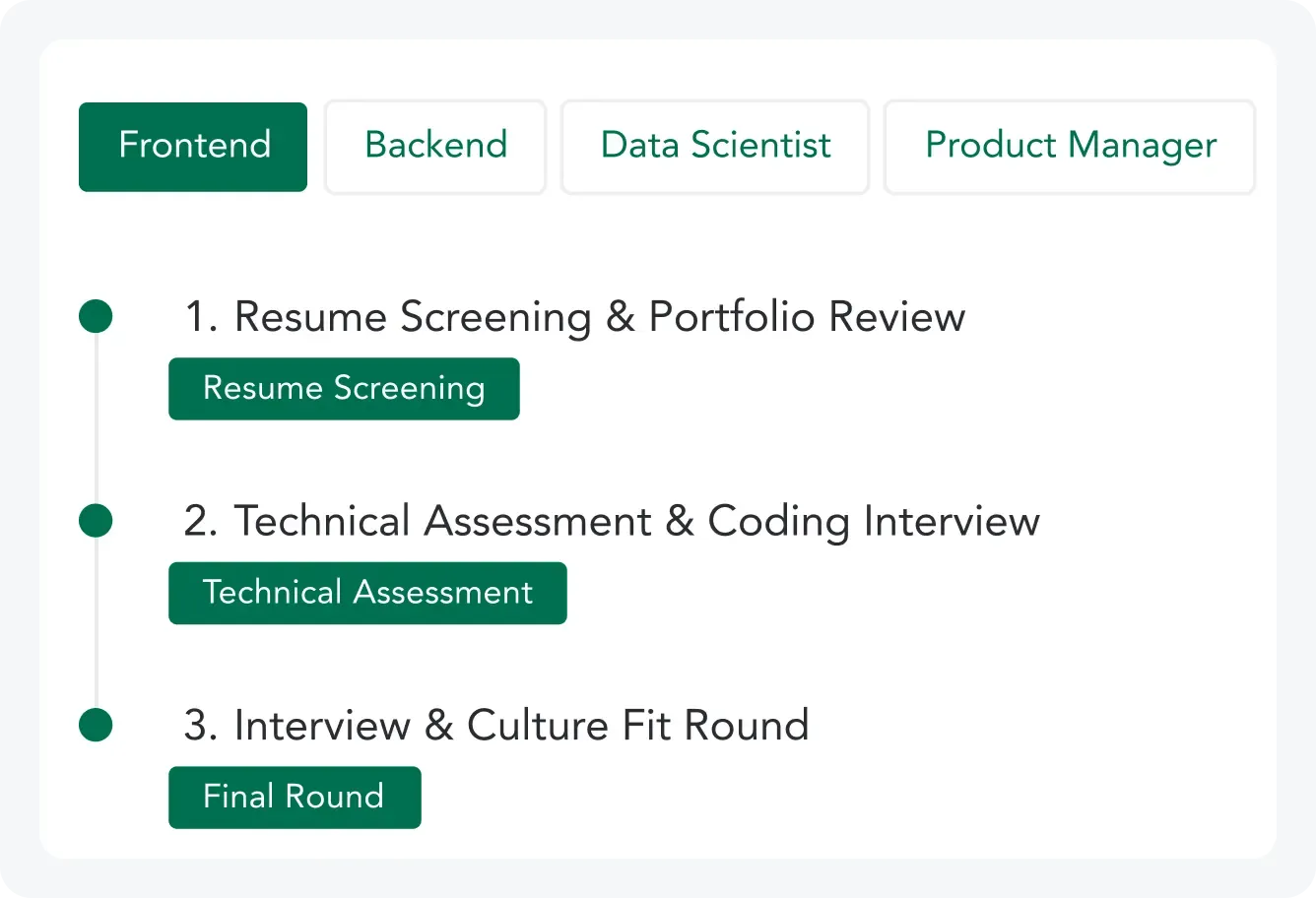
See your entire construction candidate pipeline on one screen organized by trade, project, or location. Move workers through structured workflows including HR Audio/Video Interview for initial screening, Functional/Domain Assessment for trade knowledge testing, Live Task or Take Home Assessment for skills verification, Technical Audio/Video Round for deeper technical evaluation, Senior HR Audio/Video Round for project fit, Conditional Offer Letter Generation, and Background Screening. Drag candidates through stages as they progress. Build separate workflows for different trades, projects, or job sites. The applicant tracking system for construction companies helps you manage hiring spikes during peak construction seasons without losing qualified candidates.
Your ATS becomes the control plane for project staffing, so every worker, certification, and hiring step is managed in one system instead of scattered across spreadsheets, texts, and whiteboards.
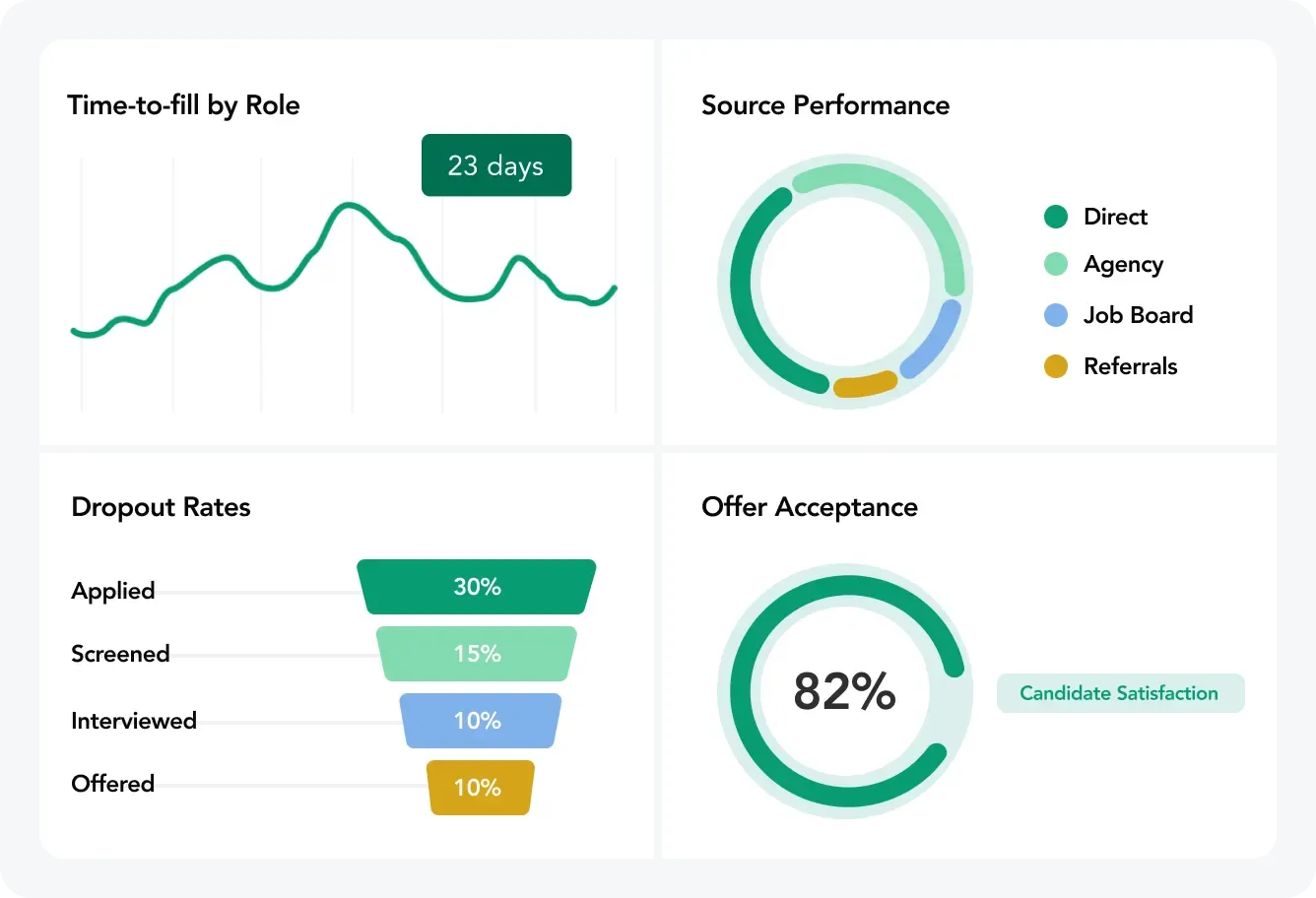
Real-Time Analytics and Recruitment Insights
Monitor which positions are open, assessments report, where background checks stand, interview activity, and who got offers. Spot which certifications are tough to find and where things slow down. Use AI construction recruitment software data to figure out where to focus your recruiting and build better pipelines for the next round of projects.
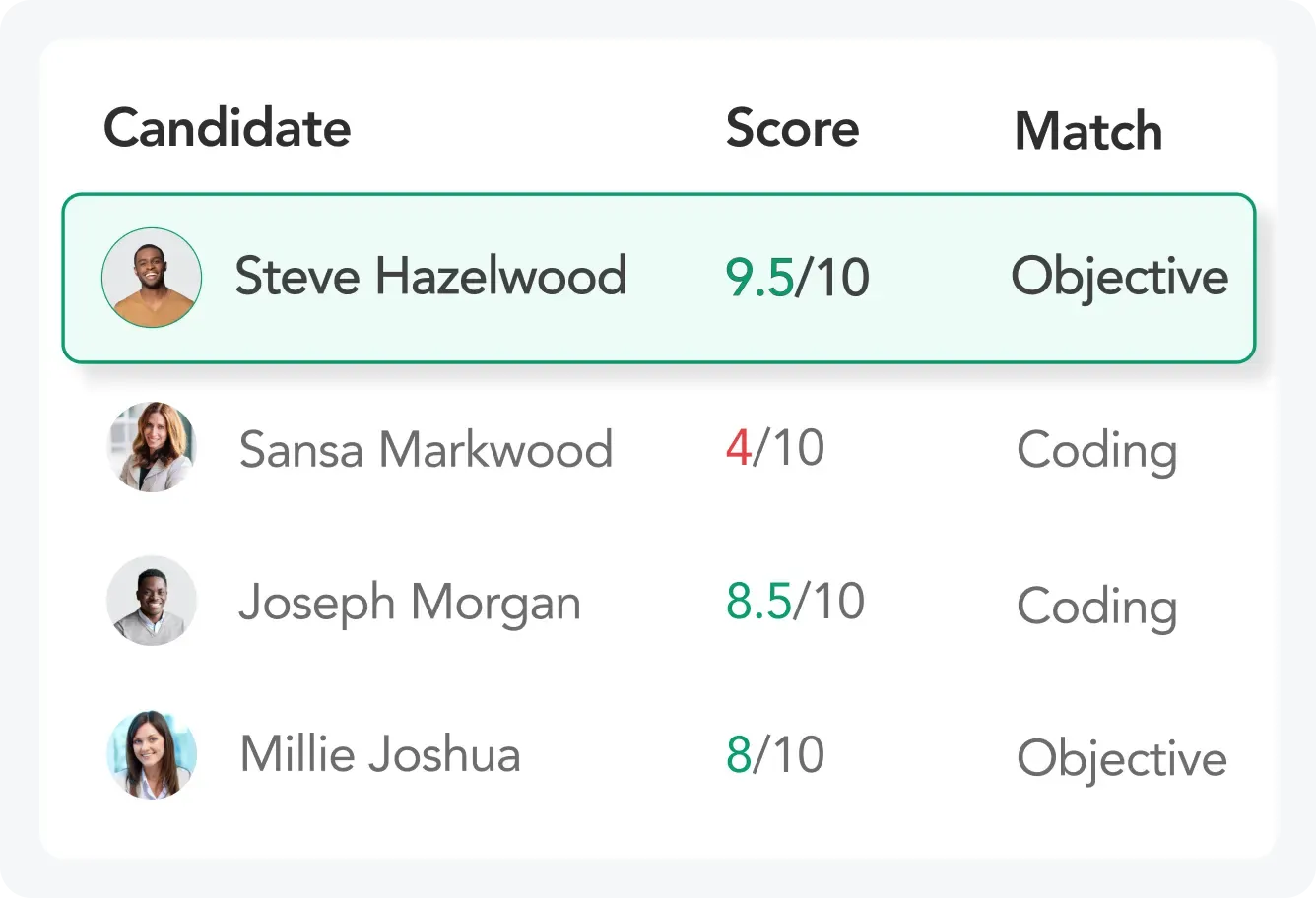
Integrations for Construction Hiring Workflow
Connect Outlook Email for communication and Google Calendar and Outlook Calendar for scheduling interviews. Run background checks and drug screening via Universal Background and Drug Screening. Distribute jobs to Google Jobs, uRecruits Job Marketplace, and JobTarget for maximum reach. Check the full integrations page for everything that connects. These links cut down on manual data entry and keep information flowing. Need something specific? More integrations can be configured for what your company uses.
TRY IT FOR FREE
Ready to get started?
Create a free account in just 2 minutes
No credit card required
Get demo
FAQs About Construction Recruitment Software
Some questions and answers
What is construction recruitment software?
How does construction recruitment software help with high turnover?
Can construction recruitment software verify certifications and conduct background checks?
Is construction recruitment software mobile-friendly for field workers?
How does construction recruitment software handle project-based hiring spikes?
Can we track certifications and credentials?
What types of construction roles can we hire with this software?
How does construction recruitment software improve project staffing alignment?
Does construction recruitment software integrate with other systems?
How long does it take to implement construction recruitment software?
What ROI can construction companies expect from AI construction recruitment software?
Blogs
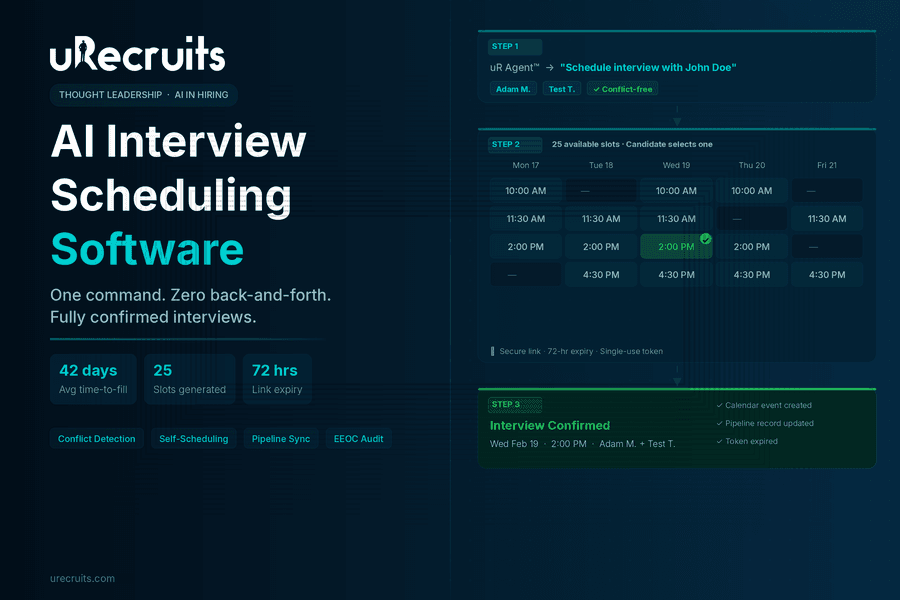
How AI Interview Scheduling Software Saves Recruiter Hours
Ask any recruiter what the most frustrating part of their job is, and scheduling interviews comes up almost every time. Not because it is intellectually difficult work. Because it is time-consuming, repetitive, and prone to the kind of back-and-forth that stalls the entire hiring process. A qualified candidate applies on Monday. By Friday, nobody has confirmed a time. By the following Monday, that candidate had accepted an offer somewhere else. This is not a small problem. The coordination overhead of scheduling an interview at scale, multiplied across dozens of open roles, dozens of candidates, and multiple interviewers per role, consumes a disproportionate share of recruiter bandwidth. The hours a recruiter spends wrangling calendar availability are hours not spent evaluating fit, building relationships with candidates, or closing offers on top talent. AI changes this. Not by removing humans from the equation, but by removing the coordination tasks that should never have been handled by humans in the first place. This guide covers what modern interview scheduling software does, what separates genuine AI scheduling from basic calendar tools, and how uRecruits' Scheduler Agent handles interview scheduling from a single recruiter command through to a confirmed, conflict-free calendar event.
Why Interview Scheduling Is a Bigger Problem Than Most Teams Acknowledge
The coordination cost of scheduling interviews sits in a blind spot for many organizations. It does not show up as a discrete budget line. It lives in recruiter inboxes, in back-and-forth email threads, in the three-day gap between a candidate clearing a phone screen and getting a calendar invite for the next stage. According to SHRM, the average time-to-fill an open position in the United States is between 36 and 42 days. A significant portion of that window is not spent evaluating candidates. It is spent on logistics: finding times that work, sending calendar invites, handling reschedules, and chasing confirmations. Every day that coordination takes longer is a day a strong candidate could accept a competing offer. A LinkedIn global talent trends report found that slow hiring processes are among the most common reasons qualified candidates disengage before an offer is made. Candidates who experience long gaps between stages, particularly between screening and the first formal interview, report significantly lower satisfaction with the hiring experience regardless of the outcome. The operational math is straightforward. A recruiter handling 15 open roles simultaneously, each requiring two to three rounds of interviews with two to three interviewers per round, is managing the scheduling logistics of anywhere from 60 to 135 individual interview coordination tasks. Each task requires finding availability, sending communication, waiting for replies, handling changes, and confirming final details. At scale, that is not a rounding error on recruiter time. It is the majority of it. This is the environment in which automated interview scheduling software delivers its most concrete value.What Interview Scheduling Software Actually Does
The category of interview scheduling tools covers a wide spectrum. At the basic end, you have tools that make it easier to share calendar links. At the other end, you have AI-powered scheduling agents that handle the entire coordination workflow from a plain language command, including slot generation, conflict detection, candidate communication, calendar confirmation, and record-keeping, without any manual steps. Understanding what each layer of the category actually does helps clarify what your team is actually getting when evaluating job interview scheduling software.Basic Calendar Link Tools
These tools let recruiters or candidates share a link to a calendar with open slots. The candidate picks a time. An invite goes out. This eliminates one round of back-and-forth but still requires a recruiter to manually set up availability windows, manage which interviewers are included, and handle any follow-up if the initial slot does not work. They are useful but they do not qualify as AI interview scheduling software.Integrated Scheduling Within an ATS
Some ATS platforms include scheduling modules that connect candidate profiles to calendar workflows. The value here is integration: the scheduled interview is linked to the candidate record, interviewers receive the right context, and the outcome is recorded in the hiring pipeline. This is more functional than a standalone link tool but often still requires manual setup per candidate.AI-Powered Scheduling Agents
This is where the category takes a qualitative step forward. A genuine interview scheduling AI agent accepts a plain language command from a recruiter, identifies the candidate and the relevant interviewers, generates available time slots, handles conflict detection across all interviewer calendars simultaneously, sends a secure self-scheduling link to the candidate, creates the calendar event automatically when the candidate selects a slot, and updates the hiring pipeline record with all relevant details. The recruiter issues one command and the workflow completes. This is how uRecruits' Scheduler Agent works.How uRecruits Scheduler Agent Handles Interview Scheduling End to End
uRecruits includes the Scheduler Agent as one of five live agents within uR Agent™, the platform's AI console. The Scheduler Agent is purpose-built for candidate interview scheduling software within a connected hiring workflow. It is not a standalone add-on. It is built into the same pipeline that handles resume parsing, AI pre-screening, assessments, and offers. Here is what the end-to-end flow looks like.Step 1: Recruiter Issues One Command
The recruiter types a plain language instruction in the uR Agent™ console: "Schedule interview with John Doe." The Scheduler Agent identifies the candidate, validates their eligibility and pipeline stage, confirms the next interview round from the Position Workflow, and surfaces the available team members who can serve as interviewers. The recruiter selects which team members to include. That is the full extent of manual input required.Step 2: Automatic Slot Generation With Conflict Detection
Once interviewers are selected, the Scheduler Agent generates 25 available time slots automatically. Slots run from 10 AM to 7 PM, skip weekends, and are set at 30-minute durations. Before presenting slots to the candidate, the system runs conflict detection across all selected interviewers' calendars simultaneously. Only slots where all selected interviewers are available are offered. There is no manual calendar cross-referencing by the recruiter.Step 3: Secure Self-Scheduling Link Sent to Candidate
The system generates a secure, token-based scheduling link using UUID v4 with a 72-hour expiry window. The link is single-use: once the candidate selects a slot, it becomes invalid. The candidate receives an email with their interview panel listed, the 72-hour deadline clearly stated, and instructions to select exactly one slot. They do not receive a list of all 25 slots in the email. They click the link, see the available slots in a clean scheduling interface, and confirm their selection.Step 4: Booking Confirmation and Calendar Event Creation
When the candidate selects a slot and confirms, the system runs a final conflict check in real time: it verifies that each selected interviewer is still available at the chosen time. If no conflict exists, it creates the calendar event automatically, updates the hiring pipeline record with the interview date, interviewers, and event ID, and marks the scheduling token as used. The candidate sees a confirmation immediately. The recruiter does not need to take any further action. If a conflict has emerged since the slots were generated, the system returns a conflict notification and prompts the candidate to select an alternate slot. The recruiter is never required to intervene manually.uRecruits Interview Scheduler Agent
Recruiter issues one command. Agent validates eligibility, surfaces interviewers, generates 25 conflict-checked slots, sends a secure self-scheduling link with 72-hour expiry, creates the calendar event on candidate confirmation, updates the pipeline record, and marks the token as used. One command from the recruiter. Zero manual coordination steps.What Makes This Genuinely Different From Basic Interview Scheduling Tools
The interview scheduling software market includes tools at very different levels of capability. What separates the Scheduler Agent from basic interview scheduling tools comes down to four structural differences.It Is Connected to the Hiring Pipeline, Not Separate From It
Most standalone online interview scheduling software tools operate outside the ATS. A recruiter copies a link, pastes it into an email, and hopes the outcome gets recorded somewhere. In uRecruits, the Scheduler Agent operates inside the hiring workflow. The interview round it schedules is defined by the Position Workflow already attached to the job. The outcome is recorded directly on the candidate's profile in the ATS pipeline. There is no manual data entry between the scheduling action and the pipeline record.Conflict Detection Is Structural, Not Manual
When using basic calendar link tools, double-booking is the recruiter's problem to prevent. They have to check each interviewer's availability manually before sending a scheduling link. uRecruits' conflict detection runs automatically both at slot generation and at booking confirmation. If a conflict exists, it is caught before the candidate ever sees the slot. If a conflict emerges between slot generation and candidate booking, it is caught at the point of confirmation. The system prevents double-booking structurally.Security Is Built In, Not Added On
The scheduling link uses UUID v4 token generation with a 72-hour expiry and single-use enforcement at the database level. The candidate cannot reuse the link after selecting a slot. The link expires automatically if unused within 72 hours. These are not policy guardrails. They are architectural controls that protect both the candidate experience and the integrity of the scheduling data.HR/Recruiter Stays in the Loop on Every Action
The Scheduler Agent proposes every action and waits for recruiter confirmation before sending the scheduling email. The recruiter selects which interviewers to include. The agent surfaces the available slots and asks for confirmation before the email goes out. No scheduling action executes without recruiter awareness and approval. This is what uRecruits calls HR/Recruiter-On-Loop: full oversight of every automated action, visible, reviewable, and reversible.The Candidate Experience: Why Self-Scheduling Changes Completion Rates
One of the underappreciated dimensions of how to schedule an interview well is the candidate experience. When a recruiter sends a list of three time options and asks the candidate to reply with their preference, the candidate has to check their calendar, reply, wait for confirmation, and then add it manually. Each friction point in that chain is an opportunity for drop-off. According to a Forbes analysis of candidate experience in competitive hiring markets, simplicity and speed in the interview scheduling process directly correlate with candidate acceptance rates. Top candidates, who typically have multiple active processes running simultaneously, respond more positively to hiring experiences that respect their time. A self-scheduling link that takes under two minutes to complete signals efficiency and professionalism. The uRecruits candidate scheduling experience is built around this principle. The candidate clicks one link, sees a clean list of 25 available slots with clear date and time labels, selects one, and gets an immediate confirmation. The entire interaction takes under two minutes. They do not need to create an account. They do not need to reply to an email. They do not need to coordinate with anyone. The software to schedule interviews handles everything on their side automatically. The 72-hour expiry window creates appropriate urgency without being aggressive. The single-use enforcement prevents confusion from multiple selections. The interview panel is listed in the email so the candidate knows who they will be speaking with before they confirm. These details compound into a scheduling experience that reflects positively on the hiring organization.How to Schedule an Interview With uRecruits: A Realistic Walk-Through
The best way to understand what ai interview scheduling software actually delivers is to walk through a real scenario. Here is what scheduling looks like using the uRecruits Scheduler Agent. The recruiter opens uR Agent™ and types: "Schedule interview with John Doe." The agent identifies John Doe as a candidate in the active pipeline for the Nurse role, confirms his eligibility based on the Position Workflow, and identifies the next round: HR Audio Video Interview. The agent surfaces the available interview panel. It lists available team members with their names and email addresses. The recruiter types "1 and 2" to select Adam Markram and Test Test as the interview panel. No additional input is required. The agent generates 25 conflict-free slots and asks: "Would you like me to send the scheduling email to John Doe?" The recruiter confirms. The email goes out immediately to john.doe@email.com. John Doe receives the scheduling email with the interview panel listed, a 72-hour deadline clearly stated, and a single call to action: click the link to select a slot. He clicks the link, sees the 25 available time slots displayed with full date and time labels, and selects Wednesday, Feb 19 at 2:00 PM. The system runs a real-time conflict check. Adam Markram is available at 2:00 PM. Test Test is available at 2:00 PM. No conflict. The interview is booked. A calendar event is created automatically. The pipeline record for John Doe is updated with the interview date, the interview panel, and the event ID. The scheduling token is marked as used and the link expires. John Doe sees a confirmation: "Interview scheduled for Feb 19 at 2:00 PM." The recruiter received no follow-up emails, made no manual calendar entries, and sent no back-and-forth messages. The entire scheduling interview workflow completed from a single command.What the Interview Scheduling Software Market Gets Wrong
The broader interview scheduling software market has grown significantly in recent years as organizations recognized that manual scheduling was one of the clearest bottlenecks in hiring velocity. But not every solution in the market approaches the problem the same way, and some common approaches leave critical gaps. The most common gap is isolation from the hiring pipeline. A recruiter using a standalone interview scheduling tool still has to manually copy candidate information, select interviewers outside the system, link the scheduled event back to the ATS, and confirm the record is updated correctly. Each handoff is a potential error and a time cost. The efficiency gain from scheduling automation is partially offset by the data management overhead it creates. A second gap is the absence of conflict detection. Many software for interview scheduling tools show interviewers' calendars without cross-referencing them. If two interviewers have overlapping commitments on a day that appears free in one view, double-booking can still occur. Structural conflict detection, where the system checks all interviewer calendars simultaneously before surfacing a slot, is a meaningful technical distinction. A third gap is the treatment of candidate data security in scheduling flows. Links that do not expire, links that can be used multiple times, and scheduling flows that require candidates to create accounts all introduce friction or risk. Secure token-based links with defined expiry windows and single-use enforcement protect both parties without adding steps. uRecruits' Scheduler Agent addresses all three gaps by design: connected pipeline, structural conflict detection, and secure token-based links.Interview Scheduling in the US: What Compliance and Consistency Require
For organizations operating interview scheduling software in the US, there are practical compliance considerations that go beyond calendar coordination. Structured hiring processes, consistent scheduling workflows, and auditable records of who interviewed which candidates and when are all components of a defensible EEOC-compliant hiring process. According to SHRM, employment law best practices consistently recommend structured interview processes with documented, consistent evaluation criteria. The scheduling layer is part of this. When scheduling is ad hoc, inconsistencies emerge: some candidates get more interview panel members, some get shorter time slots, some move through rounds faster than others with no documented rationale. uRecruits' approach to job interview scheduling software addresses this through the Position Workflow. Every interview round is defined in the workflow before the job publishes. The Scheduler Agent schedules interviews against that defined structure, not ad hoc. Every scheduling action is logged. Every calendar event is tied to a specific candidate record and interview round. Every interviewer selection is recorded. The audit trail is automatic, not manual. For HR teams that need to demonstrate consistent process across all candidates for a given role, the connected workflow approach is a structural advantage over standalone scheduling tools that operate outside the hiring system.Who Benefits Most From Automated Interview Scheduling Software
Recruiting Teams Managing High Volume
Teams with 15 or more active roles simultaneously gain the most from automated interview scheduling software. The coordination overhead that a small number of open roles makes manageable becomes genuinely unworkable at scale. A Scheduler Agent that handles 50 scheduling workflows simultaneously does not slow down the way a recruiter managing the same load manually would. Every role gets the same response speed regardless of how many are open at once.Staffing Agencies Running Multiple Client Pipelines
Staffing agencies face the additional complexity of coordinating interviews between client interviewers and candidates the agency is placing. The Scheduler Agent handles multi-interviewer scheduling regardless of whether the interviewers are internal team members or client contacts, as long as they are configured in the platform. Agencies running multiple client pipelines in parallel get consistent scheduling quality across all of them without proportional increases in coordinator headcount.Small Businesses Without a Dedicated Recruiting Coordinator
For small businesses where a hiring manager is also the recruiter, the logistics of scheduling interviews often fall through the gaps because nobody owns them as a dedicated function. A Scheduler Agent that handles the coordination automatically gives any hiring manager the same scheduling infrastructure that large recruiting teams use without requiring a dedicated coordinator role.HR Teams That Need Consistent, Auditable Process
HR teams focused on compliance and fair hiring practices benefit from the audit trail and process consistency that a connected top interview scheduling software solution creates automatically. Every scheduling decision is logged. Every interviewer selection is recorded. Every candidate gets the same self-scheduling experience regardless of which recruiter initiated the workflow.Evaluating the Best Interview Scheduling Software: Questions Worth Asking
When evaluating best interview scheduling software options, the feature list is less useful than a set of workflow questions that surface how the tool actually operates in practice.- Does it connect to your ATS or operate separately? Standalone scheduling tools create data management overhead. Integrated scheduling that records outcomes directly in the candidate pipeline eliminates it.
- Does it run real-time conflict detection across all interviewers? Conflict detection after the fact, or manual calendar cross-referencing, is not structural protection against double-booking. Ask how conflicts are caught and when.
- How is the scheduling link secured? Single-use enforcement, defined expiry windows, and token-based authentication protect both parties. Open or reusable links create risk and confusion.
- Can the recruiter issue a scheduling command in plain language? If the recruiter still has to configure availability windows, copy candidate emails, and set up the scheduling workflow manually, the AI label is cosmetic, not functional.
- Does the scheduling action require HR/Recruiter confirmation before executing? An agent that proposes the action and waits for approval is structurally different from one that sends emails autonomously. Oversight matters.
- Is the outcome automatically recorded in the hiring pipeline? If the recruiter has to manually update the ATS after scheduling, the efficiency gain is partial. Full integration means zero post-scheduling data entry.
- Is it accessible on web and mobile? Recruiters reviewing pipelines from their phones need scheduling functionality that works on any device. Desktop-only scheduling tools limit flexibility.
FAQs About Interview Scheduling Software
What is interview scheduling software and how does it work?
Interview scheduling software is a platform that automates the coordination of interview logistics between recruiters, candidates, and interviewers. At the basic level, it provides shared calendar links. At the advanced level, it generates conflict-checked slots, sends secure self-scheduling links to candidates, creates calendar events automatically on booking, and records outcomes in the hiring pipeline. uRecruits' Scheduler Agent handles the full workflow from a single recruiter command.What is an interview scheduling AI agent?
An interview scheduling AI agent is a software agent that handles the complete interview scheduling workflow from a plain language command. It validates candidate eligibility, identifies available interviewers, generates conflict-checked time slots, sends a secure self-scheduling link to the candidate, creates the calendar event when the candidate confirms a slot, and updates the hiring pipeline record. Every action is proposed and confirmed by the recruiter before executing. uRecruits' Scheduler Agent is one of five live agents in the uR Agent™ console.How does candidate self-scheduling work in uRecruits?
The candidate receives an email with a secure, single-use scheduling link that expires in 72 hours. Clicking the link opens a scheduling page showing 25 available time slots, each pre-confirmed conflict-free across all selected interviewers. The candidate selects one slot and confirms. The system runs a real-time conflict check, creates the calendar event, updates the hiring pipeline record, marks the token as used, and shows the candidate an immediate confirmation. No account creation required. The entire process takes under two minutes.How does automated interview scheduling software handle double-booking?
uRecruits runs conflict detection at two points: when generating the available slots for the candidate and again in real time when the candidate confirms their selection. Only slots where all selected interviewers are available are shown to the candidate. If a conflict emerges between slot generation and candidate booking, the system catches it at confirmation and prompts the candidate to select an alternate slot. Double-booking prevention is structural, not a manual check.What makes uRecruits one of the top interview scheduling software options for US teams?
For interview scheduling software in the US, the combination of pipeline integration, structural conflict detection, secure token-based links, plain language AI commands, and EEOC-auditable records sets uRecruits apart from standalone scheduling tools. Every scheduling action is connected to the Position Workflow, recorded on the candidate profile, and logged for compliance purposes. The HR/Recruiter-On-Loop architecture means every action is visible, reviewable, and reversible.What is the best interview scheduling software for small businesses?
The best interview scheduling software for small businesses is one that does not require a dedicated recruiting coordinator to operate. uRecruits' Scheduler Agent gives any hiring manager the ability to initiate a complete interview scheduling workflow from a single plain language command. No calendar configuration, no manual slot selection, no email drafting. The agent handles all of it. uRecruits starts at $39/month with a 30-day free trial, no credit card required.The Bottom Line on AI Interview Scheduling
The time recruiting teams spend manually scheduling interviews is not producing any hiring value. It is coordination work: finding times, sending emails, handling changes, updating records. Every hour spent on that is an hour not spent on the judgment calls that actually determine hiring quality. An interview scheduling AI agent that handles the full workflow from one command, including slot generation, conflict detection, secure candidate self-scheduling, and automatic pipeline updates, is not a marginal improvement over manual coordination. It is a structural change in how recruiter time gets used. uRecruits' Scheduler Agent is live today as part of the uR Agent™ console, available on Full Cycle plans. It is connected to the same pipeline that handles job publishing, resume parsing, AI pre-screening, assessments, and offers. Scheduling is not a separate workflow. It is one stage in a fully connected hiring lifecycle.Ready to eliminate manual scheduling from your hiring workflow?
Start a free 30-day trial at urecruits.com, no credit card required or book a demo. All features accessible on web and mobile.
Written by
Thomas Alexander
Admin
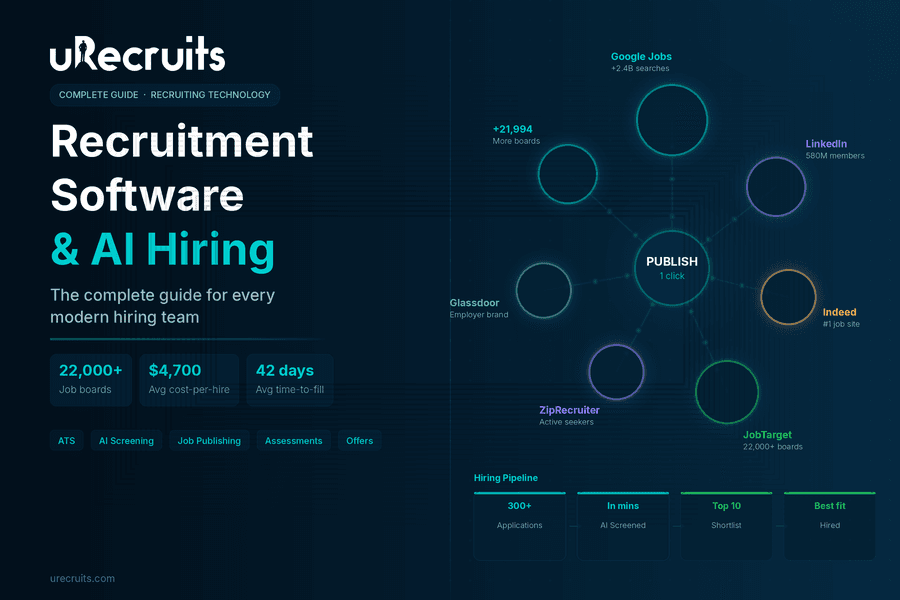
The Complete Guide to Recruitment Software: What AI Changes for Every Hiring Team
Hiring has always been hard. But the version of hard that most recruiting teams deal with today is different from what it was five years ago. Inboxes fill up with hundreds of applications for a single role. Phone screens take days to schedule. Qualified candidates drop off because the process moves too slowly. And the team responsible for fixing all of this is usually the same size it has always been. This is where recruitment software comes in and why the AI-powered version of it represents a genuine shift rather than a marginal improvement. The right platform handles the coordination work that eats recruiter time, brings in candidates across thousands of channels at once, and keeps human decision-makers fully in control at every stage that actually matters. This guide breaks down what recruitment software is, what separates the best from the average, what AI makes possible, and what to look for when evaluating your options.
What Is Recruitment Software?
Recruiting software is a platform that manages the full hiring lifecycle from job creation and publishing through applicant tracking, screening, assessments, offers, and verification. The goal is to give recruiting teams a connected, structured system so that no candidate falls through the cracks, no process step is skipped, and no hiring decision is made without the right information in front of the right person. Early versions of these tools were mostly tracking systems. They held candidate data and let recruiters move people through stages manually. What has changed is automation, intelligence, and integration. Modern online recruitment software connects job publishing, AI evaluation, scheduling, assessments, and offer generation in a single workflow. Recruiters spend less time coordinating and more time making the decisions that require human judgment. The practical difference shows up fast. According to SHRM, the average cost-per-hire in the United States is approximately $4,700, and the average time to fill an open position sits around 36 to 42 days. Both numbers reflect how much disconnected, manual recruiting processes cost organizations. A connected platform built for automation compresses both figures significantly.The Recruiting Problem Most Teams Are Still Fighting
Most recruiting teams are dealing with two distinct problems at the same time, and the combination is what makes hiring feel impossible to keep up with. The first problem is candidate supply. Teams post to one or two job boards and wonder why the applicant pool is thin or unqualified. The channels being used simply do not reach enough people. The second problem is time. Even when qualified candidates do apply, the coordination work of screening, scheduling, and evaluating them takes more hours than the team has. Candidates go cold. Offers get delayed. Good people take other jobs. A LinkedIn analysis of global talent acquisition trends found that finding enough qualified candidates consistently ranks as the top challenge for talent acquisition professionals worldwide. The answer, increasingly, is not to hire more recruiters. It is to make the existing team dramatically more efficient through better tooling. This is the problem that AI recruiting software is built to solve on both fronts simultaneously.What AI Recruitment Software Actually Does Differently
The term AI recruitment software gets used loosely. In practice, the platforms that deliver real efficiency gains do specific things that manual or semi-automated systems cannot. Here is what distinguishes genuine AI powered recruiting software from tools that simply added an AI label to existing features.Resume Parsing and Candidate Matching at Scale
When 300 applications arrive after a job post goes live, a recruiter cannot realistically read every resume before shortlisting. AI-powered parsing extracts skills, calculates experience, verifies education, and generates a match score against the role requirements automatically. Every incoming resume gets evaluated against the same criteria. Recruiters review ranked candidates rather than raw stacks of applications. uRecruits handles this at the parsing stage. Every incoming resume is parsed against role requirements with skills extracted, experience calculated, education verified, and a match score generated. A manual review flag surfaces when AI confidence is low so recruiters know exactly where to look closer.AI Pre-Screening: Video Interviews Without Recruiter Time
This is one of the most significant capabilities in top-tier AI powered recruitment software. Instead of recruiters spending three days on 30-minute phone screens, an AI conducts structured video interviews with every applicant simultaneously. It asks identical questions to every candidate, listens, scores each answer, and returns a complete result to the recruiter for review. The operational change is significant. A recruiter who previously spent 15 hours on phone screens can instead review 50 AI pre-screening scores in 20 minutes and move directly to interviewing only the candidates who have already demonstrated they can articulate the role. Same team. Better use of expertise. Faster decisions. uRecruits includes native AI Pre-Screening in its Full Cycle plans as a stage within the Screening and Hiring capability. The AI conducts the interview. The HR team or recruiter reviews the result and decides who advances.Scheduling Automation Without Back-and-Forth
Interview scheduling is coordination work, not hiring judgment. AI handles it better and faster. A Scheduler Agent sends booking links, confirms calendar availability, resolves conflicts, and gets interviews booked from a single command. No back-and-forth email chains. No missed replies. No scheduling gaps.Consistent, EEOC-Auditable Evaluation
One of the compliance risks in informal hiring processes is inconsistency: different interviewers using different criteria, different questions, different scoring standards for the same role. SHRM and employment law experts consistently recommend structured interviews and documented evaluation criteria as best practice for both quality of hire and EEOC compliance. AI pre-screening asks identical questions to every candidate. Structured scorecards apply the same criteria to every interviewer at every stage. Every AI output and recruiter decision is logged in an auditable record.7 Core Hiring Capabilities to Look for in Top Recruiting Software
When evaluating best recruiting software options, look beyond the feature list and ask whether the capabilities are actually connected. Disconnected tools create the same coordination gaps they claim to solve. Here are the seven hiring capabilities that matter most in a full-cycle platform.- Job Description Creation: A wizard or AI agent that gets a role from a sentence to a published, structured job description in under 60 seconds, connected to a Position Workflow before it goes live. uRecruits offers a 7-step wizard and uR Agent™ for this.
- Applicant Tracking System (ATS): A structured pipeline connected to the job's workflow. One profile per candidate with parsed resume, match score, AI pre-screening result, assessments, scorecards, and all decisions on one screen.
- Job Publishing: Reach matters. One publish action that goes to Google Jobs plus 22,000+ boards via JobTarget means more qualified applicants without extra steps per board. uRecruits handles this in a single publish action.
- Resume Parsing: Automatic parsing against role requirements on every incoming application. AI extracts skills, calculates experience, verifies education, and generates a match score.
- Candidate Matching: Ranked shortlists based on match scores so recruiters review the strongest applicants first rather than working through every resume in submission order.
- Scoring and Structured Evaluation: Same criteria, same scale, every candidate, every interviewer, every stage. Gated advancement means a recruiter always confirms before the pipeline moves.
- Screening and Hiring Suite: AI Pre-Screening, Interviews, Assessments, Offers, Background Screening, and Drug Screening connected in a single workflow. Every stage automated on trigger. Recruiter reviews and advances. In uRecruits, all six of these are part of the Screening and Hiring capability.
Platform Capabilities: The Infrastructure That Connects Everything
Beyond the hiring-specific capabilities, the best hr recruitment software includes platform-level infrastructure that runs across every stage. In uRecruits, five platform capabilities support every hiring workflow.- Connected Hiring Workflow: The Position Workflow engine that is required before any job publishes. Every stage is defined, structured, and enforced at the platform level. No role goes live without a hiring process attached.
- Integrations: Google Jobs, JobTarget, Auth0 for identity and access, background and drug screening connections, and a REST API. HRIS integrations are in development.
- uR Agent™: An AI console with five live agents: Job Agent, Workflow Agent, Assessment Agent, Scheduler Agent, and Pre-Screening Agent. Every action is proposed and waits for HR/Recruiter confirmation before executing. An Analytics Agent is on the roadmap.
- Analytics: Pipeline analytics, hiring velocity, stage conversion rates, time-to-fill, and recruiter performance across all roles and capabilities.
- Knowledge Base and Support: Platform documentation, onboarding guides, feature walkthroughs, and support for HR teams and recruiters across all capabilities.
Why the Best AI Recruiting Software Keeps Humans in the Loop
One of the most important questions to ask any automated recruiting software vendor is this: what does the AI do autonomously, and what requires a human decision? The concern with fully autonomous AI in hiring is real. Inconsistent or biased outputs can go undetected without human review. Decisions that affect people's careers carry ethical weight that a score alone cannot capture. And regulatory frameworks around employment decisions require documentation and accountability. According to Forbes, the organizations seeing the strongest results from AI in HR are those that use it to augment human decision-making rather than replace it. The AI handles the volume. The human handles the judgment. uRecruits HR/Recruiter-In-Loop Architecture: At every key AI output, including pre-screening results, match scores, and Scheduler Agent proposals, the HR team reviews and confirms before the pipeline advances. Every AI evaluation is an input to a human decision, never a replacement for one. uR Agent™ proposes every action and waits for confirmation. No AI action executes without recruiter awareness and approval. This distinction matters practically too. Responsible AI principles that are built into the architecture, rather than offered as an opt-in setting, mean that compliance is structural. Every AI output and every recruiter decision is logged in an auditable record. EEOC-compliant structured evaluation is enforced, not aspirational.Cloud Recruitment Software: Hire From Anywhere, On Any Device
Modern hiring teams are not always at a desk. Recruiters review candidates between calls. Hiring managers approve offers from their phones. HR operations teams need pipeline visibility without logging into a desktop application. Genuine cloud recruitment software makes every feature available on web and mobile, not a subset of features with a "full access requires desktop" caveat buried in the fine print. uRecruits runs on AWS cloud infrastructure with data encrypted at rest and in transit. Every capability, including reviewing AI pre-screening results, advancing candidates, approving offer letters, and using uR Agent™ to issue workflow commands, is accessible on web and mobile. No capability is desktop-only. The infrastructure scales automatically with hiring volume. A team hiring two roles and a team hiring two hundred roles use the same platform without performance differences or per-seat constraints that make scaling painful.Who Benefits Most From AI Powered Recruiting Software?
HR Teams and People Operations
For in-house HR recruiting software users, the core value is standardization across every role and every hiring manager. The same workflow, the same AI-assisted evaluation, the same consistent process for every candidate. Compliance and fairness become structural rather than something HR has to police after the fact. Every stage is visible, reviewable, and auditable.Staffing and Recruiting Agencies
Agencies running multiple client pipelines simultaneously need inbound reach and coordination efficiency at the same time. 22,000+ job boards in one publish solves the reach problem. The Scheduler Agent handles coordination across simultaneous pipelines. Recruiters generate more output per person without adding headcount.Small and Mid-Sized Businesses Without a Dedicated HR Team
The best recruiting software for small businesses gives any hiring manager the same infrastructure that large enterprise teams use, without requiring implementation projects or dedicated HR staff. A 7-step wizard and an AI agent console let any team create a role, publish it to thousands of boards, and run a structured pipeline from application to offer. uRecruits starts at $39/month with no feature gating and a 30-day free trial with no credit card and no auto-charge at trial end.How to Evaluate and Choose the Best Recruitment Software
The best ai recruiting software for your team depends on what your current bottlenecks actually are. But there are evaluation questions worth asking every vendor regardless of company size or team structure.- Is pricing published without a demo? Many enterprise platforms require a sales conversation before disclosing pricing. Transparent pricing upfront is a signal of a platform built for self-service evaluation. uRecruits publishes pricing from $39/month at urecruits.com/pricing.
- Does it work fully on web and mobile? Ask specifically whether all features are available on mobile or only a subset. Test it before committing.
- Is AI Pre-Screening native? Some platforms partner with third-party video interview tools. Native AI Pre-Screening, where the AI conducts the interview and the result surfaces directly on the ATS profile, is a different capability.
- Are assessments built in? Assessments that require a third-party integration add cost and create another coordination gap. Full Cycle plans in uRecruits include coding, take-home, domain, and functional assessments natively.
- Is workflow required before publish? A platform that enforces a defined hiring process before any job goes live is structurally different from one where workflow is optional. uRecruits requires a Position Workflow to be attached before any role publishes, enforced at the platform level.
- Is there a free trial with no auto-charge? A 30-day trial with no credit card and no auto-charge at trial end lets you evaluate the platform without financial commitment. uRecruits offers this on all plans.
- What does the AI actually do autonomously vs. what requires human confirmation? This is the most important question. Understand the boundary before you commit.
FAQs About Recruitment Software
What is the difference between AI recruiting software and a standard ATS?
A standard ATS stores applicant data and tracks candidates through stages. AI powered recruitment software automates the work between stages. AI parses resumes, generates match scores, conducts pre-screening video interviews, schedules interviews, and handles coordination. The recruiter sees a parsed profile with a ranked score and a complete pre-screening result and decides who advances. The ATS is one component. The AI coordination layer is what makes it automated recruiting software rather than just a tracking tool.How many job boards does modern recruitment software post to?
It depends on the platform and the integrations it uses. uRecruits publishes to 22,000+ job boards in one publish action via JobTarget, plus the uRecruits Job Marketplace. Google Jobs is automatic on every role published through the platform with no additional steps required. This gives every role organic visibility in Google Search alongside broad board distribution.What does HR/Recruiter-In-Loop mean in AI recruitment software?
HR/Recruiter-In-Loop means the HR team or recruiter is actively involved in the decision at every key AI stage. Every AI output is reviewed and confirmed before the pipeline advances. HR/Recruiter-On-Loop means full oversight of every automated action: visible, reviewable, and reversible. In uRecruits, both apply across all AI capabilities. AI always acts as an input to a human decision, never a replacement for one.What is the best recruitment software for small businesses?
The best recruitment software for small businesses provides professional hiring infrastructure without requiring a dedicated HR team or a complex implementation. uRecruits starts at $39/month with no feature gating, a 7-step job creation wizard, uR Agent™ for plain language workflow commands, 22,000+ board publishing, and AI Pre-Screening on Full Cycle plans. A 30-day free trial with no credit card and no auto-charge at trial end means you can evaluate the full platform before committing.Is online recruitment software secure and compliant?
The best online recruiting software runs on enterprise-grade infrastructure with data encrypted at rest and in transit, SSO and MFA via an identity provider like Auth0, role-based access control, and audit logs for every AI output and every recruiter decision. uRecruits runs on AWS cloud infrastructure and uses Auth0 for identity and access management. Responsible AI principles are built into the architecture. Every AI output is EEOC-auditable by design.The Bottom Line on AI Recruitment Software
The gap between teams using genuinely connected ai recruiting software and teams still stitching together disconnected point solutions is growing. The former processes more candidates, makes decisions faster, maintains better compliance records, and gives recruiters time back for the work that requires human judgment. The best platforms solve both problems that recruiting teams face simultaneously: more qualified candidates in the pipeline and more efficiency in managing them once they arrive. That combination, built on a connected workflow with AI doing the coordination and HR/Recruiter making the decisions, is what top recruitment software actually delivers. If you are evaluating options, uRecruits offers every hiring team, from SMBs to staffing agencies to enterprise HR operations, a complete, connected platform starting at $39/month with a 30-day free trial, no credit card required, and no auto-charge at trial end. All 12 capability areas. Every feature on web and mobile. HR/Recruiter always in the loop. Ready to see how AI recruitment software changes what your team can do? Start a free 30-day trial at urecruits.com or Book a DemoWritten by
Thomas Alexander
Admin
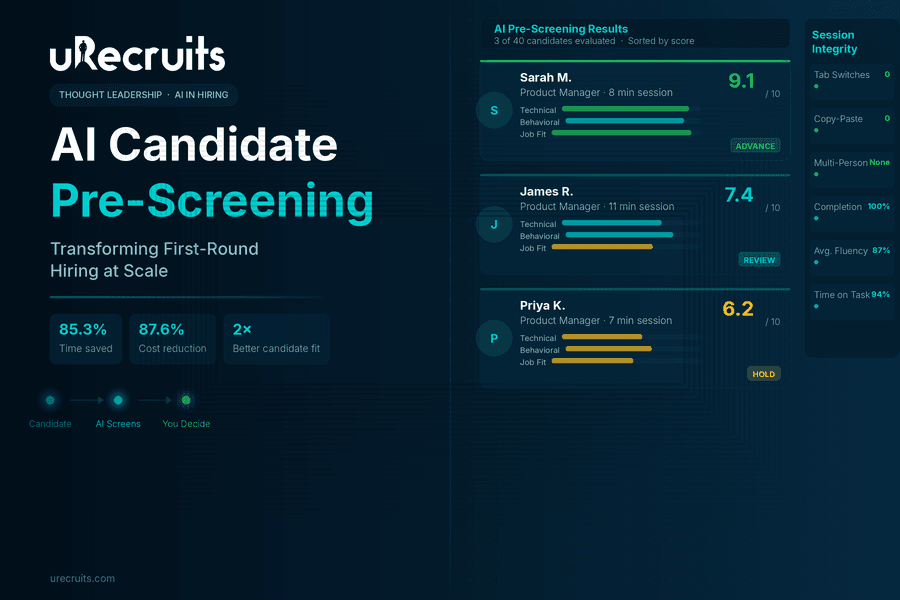
How AI Candidate Pre-Screening Is Transforming First-Round Hiring
I spend my days talking to recruiters. Not about technology, but about their actual problems. The conversation almost always starts the same way. A recruiter is managing eight open roles. They have 40 applicants sitting in one position alone. Their calendar is blocked with phone screens, back to back, 20 minutes each, and by Thursday they can't remember what the Tuesday candidates actually said. By Friday, they're behind on two other roles because the screening didn't leave room for anything else. This isn't a productivity problem. It's a structural one. The phone screen is the very first human touchpoint in most hiring processes. It is also the most inconsistent, the most time-consuming, and the least documented step in the entire workflow. And it tends to be where the most correctable mistakes happen. We built AI Pre-Screening inside uRecruits to fix that structure. Not to take humans out of hiring, but to give them back the part of the job that actually requires human judgment: deciding who moves forward.
The Structural Problem Nobody Talks About
When I ask recruiters what frustrates them most about first-round screening, they don't complain about candidates. They complain about the setup they've inherited. Traditional candidate pre-screening relies entirely on the recruiter's capacity in the moment. A candidate who calls at 9am on a Monday gets a different version of the screen than someone who calls at 4pm on Friday. Most recruiters know their phone screens aren't fully consistent. They start with a script, then drift. The recruiter knows this, it bothers them, and they just don't have a fix. Beyond inconsistency, the documentation problem is just as real. Phone screen notes end up scattered across notebooks, email drafts, sticky notes, and personal Notion docs. The hiring manager asks about a candidate from two weeks ago and the recruiter has to dig through four places to find anything useful. The ATS has the application. The actual screen result lives somewhere else entirely. Then there's the compounding issue. According to SHRM, 48% of HR managers admit that unconscious biases affect the candidates they ultimately hire. Phone screens conducted under varied conditions, at different energy levels, with inconsistent questions are not a system designed for objectivity. They are a system that makes bias harder to avoid, not easier. The solution isn't to ask recruiters to be more disciplined. The solution is to change the structure.What Pre-Screening Candidates Actually Looks Like Today
Let me be specific about what the old model costs recruiting teams. Traditional resume screening alone consumes an average of 23 hours per hire. That's before a single conversation happens. Add phone screens for a role with 40 applicants, and a recruiter can easily lose half their week to top-of-funnel evaluation before any real hiring work begins. Volume makes this worse every year. Applications have surged more than 45% year over year across major platforms. The workload of pre-screening candidates grows linearly with pipeline size, but recruiter capacity doesn't. The recruiter who sources well creates their own bottleneck. Even when notes exist after those calls, they're not structured. Comparing two candidates means reading through paragraphs of impressions formed at different times, under different conditions, in different moods. There's no fair comparison happening, just a patchwork of gut feelings documented unevenly. These aren't complaints about effort. The recruiters I work with are working hard. The structure is failing them.How AI Candidate Pre-Screening Works Inside uRecruits
When a candidate reaches the AI Pre-Screening stage in uRecruits, they receive a unique invite link and complete a structured interview session covering audio, video, text, and multiple-choice questions entirely on their own schedule. The recruiter doesn't attend it. They don't schedule it. They don't take notes during it.Setting Up the Session
The recruiter configures the session in advance. They choose a question preset: Balanced, Technical Heavy, Culture Fit, All MCQ, All Audio/Video, or Custom. They set category weights across Domain/Technical, Behavioral, Job-Fit, and Situational dimensions, then choose up to 40 questions and click Generate Questions with AI. The platform builds the full question set directly from the job description, job title, and required skills. The recruiter reviews the generated questions, edits anything that doesn't fit, sets the session duration and expiry window, and publishes. That's the extent of their involvement at this stage. The session goes live and the recruiter moves on to sourcing, follow-up, or hiring manager prep. Questions are generated using advanced AI models including GPT-4o, so the output is role-specific and meaningfully varied rather than pulling from a generic question bank applied to every position.What Candidates Go Through
Candidates access the interview through a secure link with no login required. Before starting, there's a simple device readiness check. Once inside, an AI voice guides them through questions using natural-sounding audio, with clear on-screen instructions and timers throughout. The experience supports multiple response formats: video for behavioral and communication assessment, audio for verbal fluency evaluation, text for written clarity, and multiple-choice for objective competency checks. Candidates can complete sessions on their own schedule, which removes the coordination overhead that slows down traditional phone screens. Session integrity is monitored automatically. Tab switching gets flagged. Multiple people in frame gets detected. Copy-paste attempts are tracked. A session integrity report is generated alongside the scored results, giving recruiters full visibility into how candidates engaged throughout the process.What Shows Up in the Results Dashboard
When candidates complete their sessions, every response is scored automatically. Audio answers are transcribed and evaluated. Video responses are assessed. MCQ answers are marked against correct responses. Each candidate receives a composite score out of 10, per-question AI feedback, response time data, fluency metrics for audio answers, and the full session integrity report. The recruiter opens the results dashboard and sees every candidate ranked. They click into any profile and read the full AI Summary covering what was strong, what was missing, what the candidate could improve on, and a recommendation to advance or hold. Then the recruiter decides. The platform also includes a Candidate Compare screen, so recruiters can place two or more candidates side by side for direct evaluation before finalizing the shortlist.The Part That Actually Matters: Recruiter Authority
I want to be straightforward about something that comes up in nearly every customer conversation. The AI recommendation does not decide anything. It is one input, a structured, consistent, documented input, that the recruiter reviews alongside the score, the per-question breakdown, the candidate's resume, and their own judgment. The recruiter advances or rejects. Nothing happens automatically. This matters for two reasons. The first is practical. Recruiters know things the AI doesn't. They know the team dynamic. They know the manager's communication style. They know that a 7.2 from a candidate who gave thoughtful, honest answers is often more valuable than an 8.5 from someone who gave polished but shallow responses. The AI provides structured data. The recruiter brings context. The second reason is about trust. Glassdoor research found that 67% of candidates are comfortable with AI screening as long as a human makes the final decision. That's not a coincidence. It reflects something recruiting teams also feel intuitively. Tools that support judgment are more durable than tools that try to replace it. The Re-Evaluate with Custom Prompt feature in uRecruits exists specifically for this dynamic. A recruiter can take any scored session and re-score it against criteria they define themselves. That capability is not a workaround. It is the point. The recruiter is always in authority.What the Research Says About AI Pre-Screening
The data behind AI in pre-screening reflects measurable outcomes that are increasingly hard to overlook. SHRM's 2025 Talent Trends report found that 43% of organizations now use AI for HR tasks, up from 26% in 2024, with recruiting being the leading use case. Nearly 9 in 10 HR professionals whose organizations use AI to support recruiting say it saves time or increases their efficiency. The World Economic Forum found that conversational AI in hiring can reduce financial costs by 87.64% compared to traditional screening methods, primarily because AI handles initial evaluations while freeing recruiters for higher-value conversations. The same WEF study also found that candidates who completed AI-led interviews succeeded in subsequent human interviews at a rate of 53.12%, compared to 28.57% from traditional resume screening groups, indicating that AI pre-screening does a better job of surfacing genuinely qualified candidates. On the recruiter side, Workable's AI in Hiring 2024 Survey found that organizations using AI in recruitment report 85.3% time savings and 77.9% cost savings compared to traditional approaches. Separately, Greenhouse's 2024 research found that 58% of recruiters say AI reduces busywork and lets them focus on candidate relationships, which is exactly what the shift looks like in practice. These aren't numbers about replacing recruiters. They're numbers about what becomes possible when AI tools for candidate pre-screening handle the repetitive first pass so that human effort can concentrate on the decisions that actually require it.What Changes in Your Weekly Schedule
The teams I work with who have adopted AI Pre-Screening describe the same shift consistently. Before, their week is organized around screening calls. The calendar drives everything. Sourcing, follow-up, and hiring manager prep get whatever time is left, which often isn't much. After, screening results arrive in the pipeline. The recruiter reviews them on their own schedule, between meetings or at the start of the day when focus is high. They spend their phone time on candidates who have already demonstrated a baseline of fit. The conversations are better. The decisions are faster. The hiring manager gets a stronger shortlist with documented reasoning behind every candidate on it. The phone screen didn't disappear. It moved later in the process, to where it actually belongs. AI candidate pre-screening surfaces who is worth a real conversation, and the recruiter goes into that conversation with context already in hand rather than starting from zero. The feedback I hear from teams using AI Pre-Screening inside uRecruits isn't about the feature itself. It's about what the feature makes possible.What I Tell Every New Customer
If you come to AI Pre-Screening expecting it to make hiring decisions for you, it won't. That's not a limitation. It's a deliberate design choice, and it's the right one. If you come to it expecting every candidate to receive a fair, consistent, documented first evaluation, one your whole team can see, discuss, and act on together, it will do exactly that. The recruiters I work with who get the most from this feature came in with a specific frustration: they were spending too much of their best working hours on a step that wasn't producing structured, shareable, comparable output. AI Pre-Screening fixed that for them. Everything that followed, the interviews, the offer, the hire, got better because the foundation was stronger. That's what customer success looks like to me. Not a feature being used. A problem actually being solved.Ready to See AI Pre-Screening in Action?
See how uRecruits transforms your first-round evaluation with AI-driven screening that's faster, more consistent, and built around recruiter control. No credit card required. Full platform access from day one. Start Your Free 30-Day Trial | Book a Live DemoFAQs About AI Candidate Pre-Screening
What is AI Pre-Screening and how does it work?
AI Pre-Screening is an automated interview solution that replaces manual first-round screening with a structured, AI-driven evaluation. Candidates complete a guided interview session using video, audio, text, or multiple-choice responses on their own schedule. The AI generates role-specific questions from the job description, evaluates every response, scores each candidate, and provides the recruiter with a detailed results dashboard for review. The recruiter then makes the final decision on who advances.Does AI Pre-Screening replace recruiters or human judgment?
No. The system is specifically designed to support recruiter judgment, not substitute for it. The AI recommendation is one input among several, alongside per-question scores, candidate transcripts, the resume, and the recruiter's own context. Nothing in the process advances a candidate automatically. Recruiters also have access to a Re-Evaluate with Custom Prompt feature, which lets them re-score any session against criteria they define themselves.What types of questions does AI Pre-Screening generate?
Questions are generated from the job description, job title, and required skills using GPT-4o. Recruiters can choose from preset formats including Balanced, Technical Heavy, Culture Fit, All MCQ, and All Audio/Video, or configure a fully custom question set. Up to 40 questions are supported per session, with category weighting across Domain/Technical, Behavioral, Job-Fit, and Situational areas. All generated questions can be reviewed and edited before publishing.How does the system ensure fair and consistent evaluation?
Every candidate in a given role is evaluated using the same questions, the same scoring criteria, and the same AI evaluation model. This removes the variability that comes from manual phone screens conducted under different conditions at different times. The session integrity system also flags tab switching, copy-paste attempts, and multiple people detected in frame, giving recruiters full visibility into how candidates engaged with the process.Can candidates complete the interview on their own time?
Yes. Candidates receive a unique secure link and can complete the session at a time that works for them, within the expiry window set by the recruiter. No login is required. The interview includes a device readiness check before starting, and candidates can resume sessions if interrupted. Automatic submission occurs on completion or when the timer runs out.How does AI Pre-Screening integrate with the rest of the hiring workflow?
AI Pre-Screening is a native workflow round inside uRecruits, fully integrated with Temporal for workflow automation. Interview invites are sent automatically when a candidate enters the pre-screening stage. The system tracks completion status, progresses candidates to the next stage automatically, and handles expiry and non-participation scenarios. Recruiters can also send manual invites or trigger bulk invites for high-volume roles.Where are interview recordings stored and who can access them?
All interview sessions and individual candidate responses are captured and stored securely using Amazon S3. Recruiters have full playback access to recordings, transcripts, and per-question feedback from the results dashboard at any time after the session is completed. Access is limited to authorized team members within the platform.What does the results dashboard show?
The dashboard shows every candidate in the session ranked by composite score. Clicking into any candidate profile shows the per-question breakdown, AI feedback on each response, audio fluency data, response time metrics, a session integrity report, and the full AI Summary with a recommendation to advance or hold. The Candidate Compare screen allows recruiters to evaluate two or more candidates side by side before making shortlisting decisions. Ready to fix your screening process? Start your free 30-day trial or book a live demo. No credit card required.Written by
Thomas Alexander
Admin


