
How AI Candidate Pre-Screening Is Transforming First-Round Hiring
Updated : 3 hours ago


I spend my days talking to recruiters. Not about technology, but about their actual problems.
The conversation almost always starts the same way. A recruiter is managing eight open roles. They have 40 applicants sitting in one position alone. Their calendar is blocked with phone screens, back to back, 20 minutes each, and by Thursday they can't remember what the Tuesday candidates actually said. By Friday, they're behind on two other roles because the screening didn't leave room for anything else.
This isn't a productivity problem. It's a structural one. The phone screen is the very first human touchpoint in most hiring processes. It is also the most inconsistent, the most time-consuming, and the least documented step in the entire workflow. And it tends to be where the most correctable mistakes happen.
We built AI Pre-Screening inside uRecruits to fix that structure. Not to take humans out of hiring, but to give them back the part of the job that actually requires human judgment: deciding who moves forward.
The Structural Problem Nobody Talks About
When I ask recruiters what frustrates them most about first-round screening, they don't complain about candidates. They complain about the setup they've inherited.
Traditional candidate pre-screening relies entirely on the recruiter's capacity in the moment. A candidate who calls at 9am on a Monday gets a different version of the screen than someone who calls at 4pm on Friday. Most recruiters know their phone screens aren't fully consistent. They start with a script, then drift. The recruiter knows this, it bothers them, and they just don't have a fix.
Beyond inconsistency, the documentation problem is just as real. Phone screen notes end up scattered across notebooks, email drafts, sticky notes, and personal Notion docs. The hiring manager asks about a candidate from two weeks ago and the recruiter has to dig through four places to find anything useful. The ATS has the application. The actual screen result lives somewhere else entirely.
Then there's the compounding issue. According to SHRM, 48% of HR managers admit that unconscious biases affect the candidates they ultimately hire. Phone screens conducted under varied conditions, at different energy levels, with inconsistent questions are not a system designed for objectivity. They are a system that makes bias harder to avoid, not easier.
The solution isn't to ask recruiters to be more disciplined. The solution is to change the structure.
What Pre-Screening Candidates Actually Looks Like Today
Let me be specific about what the old model costs recruiting teams.
Traditional resume screening alone consumes an average of 23 hours per hire. That's before a single conversation happens. Add phone screens for a role with 40 applicants, and a recruiter can easily lose half their week to top-of-funnel evaluation before any real hiring work begins.
Volume makes this worse every year. Applications have surged more than 45% year over year across major platforms. The workload of pre-screening candidates grows linearly with pipeline size, but recruiter capacity doesn't. The recruiter who sources well creates their own bottleneck.
Even when notes exist after those calls, they're not structured. Comparing two candidates means reading through paragraphs of impressions formed at different times, under different conditions, in different moods. There's no fair comparison happening, just a patchwork of gut feelings documented unevenly.
These aren't complaints about effort. The recruiters I work with are working hard. The structure is failing them.
How AI Candidate Pre-Screening Works Inside uRecruits
When a candidate reaches the AI Pre-Screening stage in uRecruits, they receive a unique invite link and complete a structured interview session covering audio, video, text, and multiple-choice questions entirely on their own schedule. The recruiter doesn't attend it. They don't schedule it. They don't take notes during it.
Setting Up the Session
The recruiter configures the session in advance. They choose a question preset: Balanced, Technical Heavy, Culture Fit, All MCQ, All Audio/Video, or Custom. They set category weights across Domain/Technical, Behavioral, Job-Fit, and Situational dimensions, then choose up to 40 questions and click Generate Questions with AI. The platform builds the full question set directly from the job description, job title, and required skills.
The recruiter reviews the generated questions, edits anything that doesn't fit, sets the session duration and expiry window, and publishes. That's the extent of their involvement at this stage. The session goes live and the recruiter moves on to sourcing, follow-up, or hiring manager prep.
Questions are generated using advanced AI models including GPT-4o, so the output is role-specific and meaningfully varied rather than pulling from a generic question bank applied to every position.
What Candidates Go Through
Candidates access the interview through a secure link with no login required. Before starting, there's a simple device readiness check. Once inside, an AI voice guides them through questions using natural-sounding audio, with clear on-screen instructions and timers throughout.
The experience supports multiple response formats: video for behavioral and communication assessment, audio for verbal fluency evaluation, text for written clarity, and multiple-choice for objective competency checks. Candidates can complete sessions on their own schedule, which removes the coordination overhead that slows down traditional phone screens.
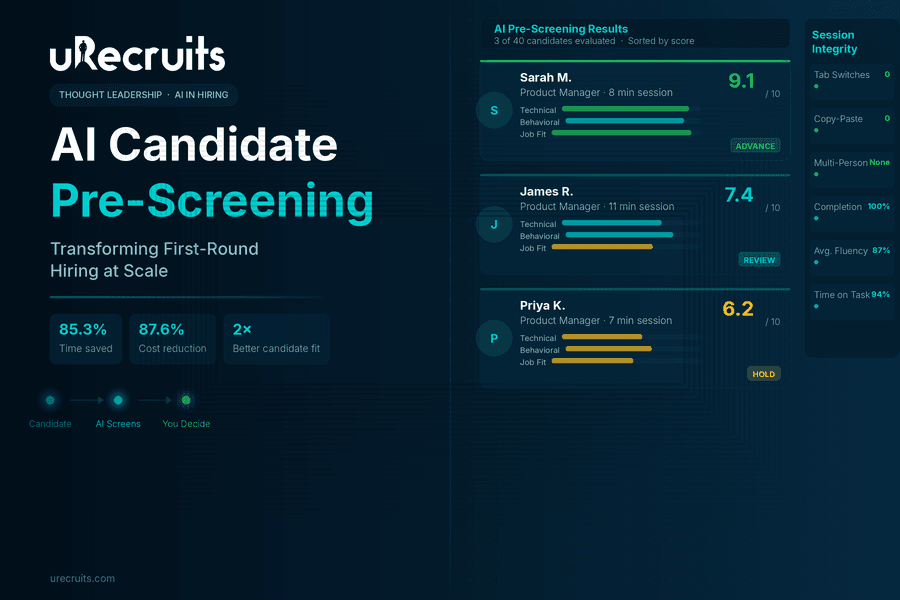
Session integrity is monitored automatically. Tab switching gets flagged. Multiple people in frame gets detected. Copy-paste attempts are tracked. A session integrity report is generated alongside the scored results, giving recruiters full visibility into how candidates engaged throughout the process.
What Shows Up in the Results Dashboard
When candidates complete their sessions, every response is scored automatically. Audio answers are transcribed and evaluated. Video responses are assessed. MCQ answers are marked against correct responses. Each candidate receives a composite score out of 10, per-question AI feedback, response time data, fluency metrics for audio answers, and the full session integrity report.
The recruiter opens the results dashboard and sees every candidate ranked. They click into any profile and read the full AI Summary covering what was strong, what was missing, what the candidate could improve on, and a recommendation to advance or hold.
Then the recruiter decides.
The platform also includes a Candidate Compare screen, so recruiters can place two or more candidates side by side for direct evaluation before finalizing the shortlist.
The Part That Actually Matters: Recruiter Authority
I want to be straightforward about something that comes up in nearly every customer conversation.
The AI recommendation does not decide anything. It is one input, a structured, consistent, documented input, that the recruiter reviews alongside the score, the per-question breakdown, the candidate's resume, and their own judgment. The recruiter advances or rejects. Nothing happens automatically.
This matters for two reasons.
The first is practical. Recruiters know things the AI doesn't. They know the team dynamic. They know the manager's communication style. They know that a 7.2 from a candidate who gave thoughtful, honest answers is often more valuable than an 8.5 from someone who gave polished but shallow responses. The AI provides structured data. The recruiter brings context.
The second reason is about trust. Glassdoor research found that 67% of candidates are comfortable with AI screening as long as a human makes the final decision. That's not a coincidence. It reflects something recruiting teams also feel intuitively. Tools that support judgment are more durable than tools that try to replace it.
The Re-Evaluate with Custom Prompt feature in uRecruits exists specifically for this dynamic. A recruiter can take any scored session and re-score it against criteria they define themselves. That capability is not a workaround. It is the point. The recruiter is always in authority.
What the Research Says About AI Pre-Screening
The data behind AI in pre-screening reflects measurable outcomes that are increasingly hard to overlook.
SHRM's 2025 Talent Trends report found that 43% of organizations now use AI for HR tasks, up from 26% in 2024, with recruiting being the leading use case. Nearly 9 in 10 HR professionals whose organizations use AI to support recruiting say it saves time or increases their efficiency.
The World Economic Forum found that conversational AI in hiring can reduce financial costs by 87.64% compared to traditional screening methods, primarily because AI handles initial evaluations while freeing recruiters for higher-value conversations. The same WEF study also found that candidates who completed AI-led interviews succeeded in subsequent human interviews at a rate of 53.12%, compared to 28.57% from traditional resume screening groups, indicating that AI pre-screening does a better job of surfacing genuinely qualified candidates.
On the recruiter side, Workable's AI in Hiring 2024 Survey found that organizations using AI in recruitment report 85.3% time savings and 77.9% cost savings compared to traditional approaches. Separately, Greenhouse's 2024 research found that 58% of recruiters say AI reduces busywork and lets them focus on candidate relationships, which is exactly what the shift looks like in practice.
These aren't numbers about replacing recruiters. They're numbers about what becomes possible when AI tools for candidate pre-screening handle the repetitive first pass so that human effort can concentrate on the decisions that actually require it.
What Changes in Your Weekly Schedule
The teams I work with who have adopted AI Pre-Screening describe the same shift consistently.
Before, their week is organized around screening calls. The calendar drives everything. Sourcing, follow-up, and hiring manager prep get whatever time is left, which often isn't much.
After, screening results arrive in the pipeline. The recruiter reviews them on their own schedule, between meetings or at the start of the day when focus is high. They spend their phone time on candidates who have already demonstrated a baseline of fit. The conversations are better. The decisions are faster. The hiring manager gets a stronger shortlist with documented reasoning behind every candidate on it.
The phone screen didn't disappear. It moved later in the process, to where it actually belongs. AI candidate pre-screening surfaces who is worth a real conversation, and the recruiter goes into that conversation with context already in hand rather than starting from zero.
The feedback I hear from teams using AI Pre-Screening inside uRecruits isn't about the feature itself. It's about what the feature makes possible.
What I Tell Every New Customer
If you come to AI Pre-Screening expecting it to make hiring decisions for you, it won't. That's not a limitation. It's a deliberate design choice, and it's the right one.
If you come to it expecting every candidate to receive a fair, consistent, documented first evaluation, one your whole team can see, discuss, and act on together, it will do exactly that.
The recruiters I work with who get the most from this feature came in with a specific frustration: they were spending too much of their best working hours on a step that wasn't producing structured, shareable, comparable output. AI Pre-Screening fixed that for them. Everything that followed, the interviews, the offer, the hire, got better because the foundation was stronger.
That's what customer success looks like to me. Not a feature being used. A problem actually being solved.
Ready to See AI Pre-Screening in Action?
See how uRecruits transforms your first-round evaluation with AI-driven screening that's faster, more consistent, and built around recruiter control. No credit card required. Full platform access from day one.
Start Your Free 30-Day Trial | Book a Live Demo
FAQs About AI Candidate Pre-Screening
What is AI Pre-Screening and how does it work?
AI Pre-Screening is an automated interview solution that replaces manual first-round screening with a structured, AI-driven evaluation. Candidates complete a guided interview session using video, audio, text, or multiple-choice responses on their own schedule. The AI generates role-specific questions from the job description, evaluates every response, scores each candidate, and provides the recruiter with a detailed results dashboard for review. The recruiter then makes the final decision on who advances.
Does AI Pre-Screening replace recruiters or human judgment?
No. The system is specifically designed to support recruiter judgment, not substitute for it. The AI recommendation is one input among several, alongside per-question scores, candidate transcripts, the resume, and the recruiter's own context. Nothing in the process advances a candidate automatically. Recruiters also have access to a Re-Evaluate with Custom Prompt feature, which lets them re-score any session against criteria they define themselves.
What types of questions does AI Pre-Screening generate?
Questions are generated from the job description, job title, and required skills using GPT-4o. Recruiters can choose from preset formats including Balanced, Technical Heavy, Culture Fit, All MCQ, and All Audio/Video, or configure a fully custom question set. Up to 40 questions are supported per session, with category weighting across Domain/Technical, Behavioral, Job-Fit, and Situational areas. All generated questions can be reviewed and edited before publishing.
How does the system ensure fair and consistent evaluation?
Every candidate in a given role is evaluated using the same questions, the same scoring criteria, and the same AI evaluation model. This removes the variability that comes from manual phone screens conducted under different conditions at different times. The session integrity system also flags tab switching, copy-paste attempts, and multiple people detected in frame, giving recruiters full visibility into how candidates engaged with the process.
Can candidates complete the interview on their own time?
Yes. Candidates receive a unique secure link and can complete the session at a time that works for them, within the expiry window set by the recruiter. No login is required. The interview includes a device readiness check before starting, and candidates can resume sessions if interrupted. Automatic submission occurs on completion or when the timer runs out.
How does AI Pre-Screening integrate with the rest of the hiring workflow?
AI Pre-Screening is a native workflow round inside uRecruits, fully integrated with Temporal for workflow automation. Interview invites are sent automatically when a candidate enters the pre-screening stage. The system tracks completion status, progresses candidates to the next stage automatically, and handles expiry and non-participation scenarios. Recruiters can also send manual invites or trigger bulk invites for high-volume roles.
Where are interview recordings stored and who can access them?
All interview sessions and individual candidate responses are captured and stored securely using Amazon S3. Recruiters have full playback access to recordings, transcripts, and per-question feedback from the results dashboard at any time after the session is completed. Access is limited to authorized team members within the platform.
What does the results dashboard show?
The dashboard shows every candidate in the session ranked by composite score. Clicking into any candidate profile shows the per-question breakdown, AI feedback on each response, audio fluency data, response time metrics, a session integrity report, and the full AI Summary with a recommendation to advance or hold. The Candidate Compare screen allows recruiters to evaluate two or more candidates side by side before making shortlisting decisions.
Ready to fix your screening process? Start your free 30-day trial or book a live demo. No credit card required.